OpenClaw Multi-Agent Guide: Setup, Routing, Isolation, and Use Cases
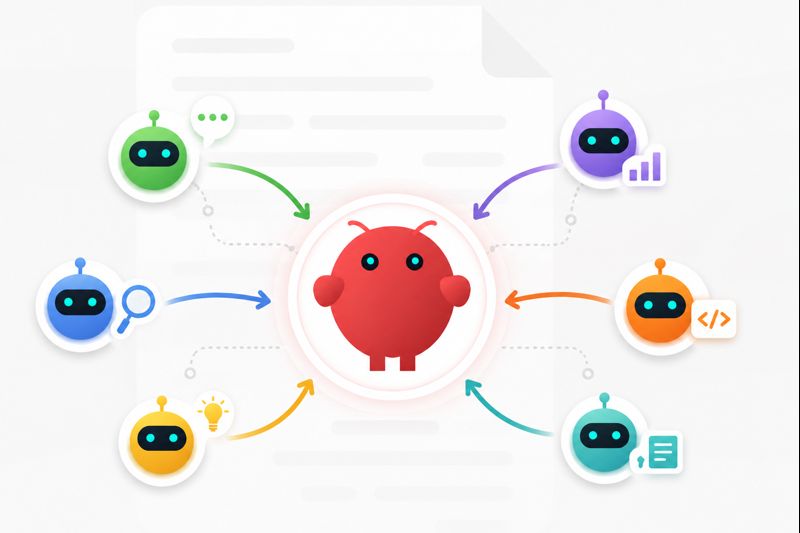
OpenClaw multi-agent setups become useful when one assistant starts carrying too many roles. A single agent can handle simple personal tasks, but it becomes harder to trust when the same memory, tools, and permissions are used for coding, research, operations, support, and private work.
A multi-agent setup separates those responsibilities. Each agent can have its own workspace, memory, tools, channels, and routing rules. The result is not automatically smarter AI. The real value is cleaner separation, more predictable behavior, and less risk that one workflow pollutes another. The tradeoff is complexity, so a good setup starts with clear roles rather than more agents.
What OpenClaw Multi-Agent Actually Means
In practical terms, OpenClaw multi-agent means running multiple specialized agents inside or alongside an OpenClaw environment. One agent might focus on coding, another on research, another on operations, and another on personal tasks. Each one can be configured with a different workspace, instruction set, memory boundary, and tool policy.
This is different from a normal chatbot. A chatbot usually answers inside one conversation. An agent can use tools, remember context, act across systems, and continue workflows over time. That difference matters even more once multiple agents are involved. For a broader explanation, see AI Agent vs. Chatbot.
 The key point is that "multiple agents" can mean separate agents, delegated agents, or agents sharing selected files and memory. Those patterns should not be mixed casually because each one creates different risks.
The Three Patterns Behind OpenClaw Multi-Agent
🌟 The first pattern is multi-agent routing. Routing decides which agent receives a message or task. The signal might be a user, channel, agent ID, workspace, Slack team, Discord bot, Telegram account, or project context. Routing is useful when different people or channels need different agents without sharing the same memory.
🌟 The second pattern is agent teams. Here, agents work around the same goal. A coordinator may break down work, pass tasks to specialists, and combine the result. This can help with research, coding, content operations, and support, but it needs clear handoff rules.
🌟 The third pattern is shared memory. Shared memory helps agents reuse context, but it is easy to overuse. If every agent can read and write the same memory, bad assumptions can spread quickly. A safer default is separate memory with explicit sharing only where it is needed.
Routing is about sending the right task to the right agent. Teams are about collaboration. Shared memory is about context reuse. A strong OpenClaw multi-agent setup usually starts with routing and isolation before adding collaboration.
When Multiple Agents Are Worth It
OpenClaw multiple agents make sense when separation creates real value. A founder might want one agent for private scheduling and another for company operations. A developer might want one agent for repository work and another for web research. A small team might want support, marketing, and engineering agents with different tools and limits.

- different workflows need different permissions
- different projects should not share memory
- different channels should route to different agents
- different users need their own context
- one agent would become too broad and unpredictable
Multi-agent systems are less useful for small personal workflows. If the agent only answers questions, summarizes pages, or handles a few repeated tasks, one well-configured agent is often better. Model choice also matters because a coding agent, research agent, and lightweight assistant may not need the same model. For that decision, see Best Model for OpenClaw.
OpenClaw Multi-Agent Setup Checklist
Step 1: Define Each Agent's Job
Name each agent by responsibility, not personality. Good examples are Coding Agent, Research Agent, Ops Agent, Client Support Agent, or Personal Assistant Agent. Before configuring anything, write down what each agent owns, what it should ignore, and when it should hand work back to the user.
Step 2: Separate Workspaces and Memory
 Each agent should have a clear home for its files, instructions, sessions, and long-term context. Shared context should be deliberate, not the default. This helps prevent a coding note, client preference, or private task from shaping another agent's behavior.
Step 3: Configure Routing Rules
Decide which channel, account, user, project, or command should reach each agent. Keep the first routes simple: GitHub-related work can go to the Coding Agent, research requests to the Research Agent, and support messages to the Support Agent. Test one route before adding the next.
Step 4: Limit Tools and Permissions
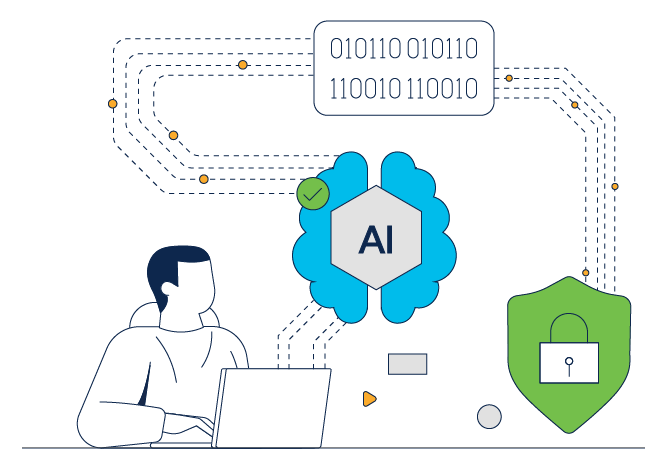 Every agent does not need every tool. A research agent may need browser access but not shell access, while a coding agent may need repo permissions but not personal email. Tool access should follow the agent's job. For ideas on organizing agent capabilities, see Best OpenClaw Skills.
Step 5: Test One Agent at a Time
Run one agent, one route, and one tool set first. Send the same task through the expected channel several times and check whether it lands with the right agent, uses the right tools, and avoids unrelated memory. Once that path is stable, add the next agent.
Can OpenClaw Agents Talk to Each Other?
OpenClaw agents can be coordinated, but agent-to-agent communication should be designed carefully. The question is not just whether one agent can pass information to another. The better question is what information should move, who approves it, and whether the receiving agent should trust it.
 The simplest pattern is manual handoff: one agent summarizes work, and the user sends that summary to another agent. A more advanced pattern is the orchestrator model, where one agent delegates to specialists and combines the result. This is useful for complex workflows, but the coordinator needs clear boundaries.
Shared workspace coordination can also work. A research agent can gather notes while a writing agent turns them into a draft. A coding agent can implement while a review agent checks the change. Shared memory is more sensitive because it can spread stale information, prompt injection, or incorrect assumptions. For most users, selective sharing is better than universal sharing.
Main Risks: Memory, Security, Routing, and Cost
The biggest risk in OpenClaw multi-agent setups is that agents become capable in too many places. Each additional agent can add tools, credentials, memory, channels, and runtime behavior that need governance.
Memory pollution is one common issue. If an agent stores a bad assumption in shared memory, other agents may reuse it later. Security is the larger concern. Multi-agent systems can touch files, browsers, APIs, messaging accounts, email, repositories, and business tools. Tool access should be scoped to each agent's real job, and sensitive actions should require approval. For a broader checklist, read AI Agent Security.
Routing failures are also common. A vague rule can send a task to the wrong agent, especially when two agents have similar roles. Cost is the quiet risk. More agents can mean more model calls, more infrastructure, and more debugging time. Multi-agent should reduce operational friction, not create a second system that needs constant attention.
DIY OpenClaw Multi-Agent vs Managed Setup with MyClaw
 MyClaw is the managed path for OpenClaw-style multi-agent workflows. Instead of handling servers, uptime, updates, and recovery manually, users start from a private, always-on environment for persistent agent work.
Key Features
- Private OpenClaw instance, not a shared runtime
- Always-on hosting for messages, tasks, and scheduled work
- Zero setup, auto-updates, encrypted access, and daily backups
- Custom skills and integrations for role-specific agents
For a broader product view, read this MyClaw review.
Steps for MyClaw Multi-Agent Workflows
Step 1: Start a private MyClaw instance, then choose 2-3 roles such as Research Agent, Coding Agent, and Support Agent.
Step 2: Give each role its own workspace, instructions, memory boundary, and only the tools it needs.
Step 3: Map each channel, account, or project to the right agent, then test real tasks before adding shared memory or more channels.
FAQ about OpenClaw Multiple Agent
Does OpenClaw Support Multiple Agents?
Yes. OpenClaw can support multiple agents through separate configurations, workspaces, sessions, routing rules, and channel bindings. The exact setup depends on how tasks should move between users, projects, channels, and agents.
Is OpenClaw Multi-Agent the Same as Agent Teams?
Not exactly. Multi-agent can simply mean separate agents with separate routes. Agent teams usually imply more coordination, handoffs, or delegation between agents working toward the same goal.
Should Every Agent Share Memory?
No. Shared memory should be intentional. Most setups should keep memory separate by default and share only the context that clearly needs to move between agents.
Is MyClaw the Same as OpenClaw?
No. MyClaw is not the same product. It is a managed option for users who want OpenClaw-style workflows without running the full environment themselves.
Conclusion
An OpenClaw multi-agent setup is useful when a single assistant has become too broad, risky, or hard to manage. Multiple agents can separate projects, protect memory boundaries, route tasks more cleanly, and give each workflow the tools it actually needs.
Start with clear roles, separate memory, narrow permissions, and simple routing. Add team coordination or shared memory only after the basic paths are stable. For technical users, DIY OpenClaw multi-agent can be powerful. For users who want the workflow benefits with less setup and maintenance, MyClaw is the more practical path to evaluate.
Salta la configurazione. Avvia OpenClaw ora.
MyClaw ti offre un'istanza OpenClaw (Clawdbot) completamente gestita — sempre online, zero DevOps. Piani da $19/mese.