AI Agent Security in 2026: What Is It & How to Secure AI Agents
AI agent security matters because agents do more than answer questions. They can read files, call tools, send messages, browse sites, and trigger workflows. That makes them useful, but it also makes mistakes more expensive.
If you are trying to understand AI agent security, the main point is simple: the danger is not only bad model output. The real risk appears when an agent has access to data, tools, and actions without enough limits around it.
This guide explains the biggest risks, the most important AI agent security best practices, and how to secure AI agents in a way that is practical for real teams.
What AI Agent Security Means
Why AI Agents Expand the Attack Surface
A normal app usually does the same job in a predictable way. An AI agent is different. It takes instructions, reads outside content, makes decisions, and may use other systems on your behalf.
That means the attack surface grows fast. A bad prompt, a risky connector, a weak permission setting, or the wrong file in memory can change what the agent does.
How Agentic AI Security Differs From Traditional App Security
Traditional app security focuses on bugs, access control, and known input paths. Agentic AI security adds a new layer: the model may treat untrusted content as instructions. It may also take actions that look reasonable in the moment but are unsafe in context.
Who Needs AI Agent Security Most
Any team using agents for work should care about this. The risk is highest when agents can touch internal documents, customer data, browser sessions, codebases, or business systems.
 If the agent can read, write, or trigger actions, security becomes a product requirement, not a nice extra.
The Biggest AI Agent Security Risks
Prompt Injection and Goal Hijacking
Prompt injection is one of the best-known AI agent security problems. It happens when an agent reads untrusted content that tells it to ignore its real task, reveal data, or take the wrong action.
Tool Misuse and Excessive Permissions
Many agents are more dangerous because of what they can do, not what they can say. If an agent has access to email, cloud drives, messaging apps, payment tools, or admin settings, small errors can turn into real incidents.
The common mistake is giving the AI agent security broad permissions because it is easier during setup. That saves time early and creates risk later. This is also part of why some teams prefer more contained setups when comparing tools like OpenClaw vs. Claude Cowork.
Sensitive Data Leakage Across Memory and Logs
Agents often store context in memory, logs, or connected systems. If those stores are too open, sensitive data can leak across sessions, appear in logs, or be reused in the wrong workflow.
Supply Chain Risk in Tools, Plugins, and Connectors
An agent is only as safe as the tools around it. Connectors, plugins, APIs, and third-party services all add risk.
Hallucinated Actions and Unsafe Automation
 Sometimes the model is not attacked at all. It is simply wrong. It may misunderstand a request, choose the wrong tool, or act with too much confidence. When the agent can only generate text, that is annoying. When it can take actions, that is a security problem.
AI Agent Security Best Practices
Use Least Privilege for Tools, Secrets, and Data
The safest default is to give the AI agent security less access than you think it needs. Limit what it can read, where it can write, and which tools it can call.
Do not hand it broad secrets or full account access if a narrower token will do.
Keep Human Approval for High-Risk Actions
High-risk actions should not run without review. Examples include sending external emails, changing production settings, touching payment flows, or sharing sensitive files.
Human approval slows the workflow a little, but it prevents small mistakes from becoming expensive ones. The same issue shows up in many real deployment decisions, especially when teams realize that convenience and security are often tied together, as in Claude Subscription OpenClaw.
Isolate Sessions, Sandboxes, and Memory
Keep tasks separated when possible. One session should not automatically inherit everything from another. Memory should be scoped. Sandboxes should be limited. Temporary access should expire.
Add Monitoring, Audit Trails, and Kill Switches
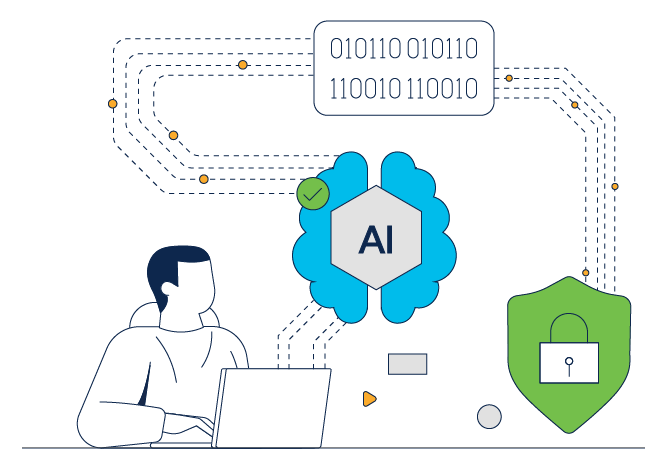 You need to know what the agent saw, what it tried to do, and what actually happened. You also need a kill switch if the agent starts behaving strangely.
Red-Team Agents With Real Adversarial Scenarios
Simple testing is not enough. Try to break the system on purpose. Feed it messy instructions, fake documents, hostile web content, and edge cases.
How to Secure AI Agents in Practice
Step 1: Map What the Agent Can Read, Write, and Trigger
Start with a plain inventory. What can the agent access? Which files, tools, tokens, apps, and workflows are in scope? If you cannot answer that clearly, the setup is already too loose.
Step 2: Separate Trusted Instructions From Untrusted Content
Your system prompt, workflow rules, and user approvals should not be mixed with random web pages, docs, or messages. Treat outside content as untrusted by default.
Step 3: Restrict External Calls and Secret Exposure
Lock down external requests, secret handling, and connector permissions. If the agent does not need a tool, remove it. If it only needs read access, do not give write access. If you are still deciding between managed and DIY environments, this is also where a broader OpenClaw hosting comparison becomes useful.
Step 4: Review Sensitive Actions Before Execution
.png) Add approval steps before the agent sends, changes, purchases, deletes, or publishes. This is one of the simplest ways to secure AI agents without making them useless.
Add approval steps before the agent sends, changes, purchases, deletes, or publishes. This is one of the simplest ways to secure AI agents without making them useless.
Step 5: Re-Test After Every Workflow or Tool Change
Every new tool, model, or workflow changes the risk profile. Re-test after changes.
AI Agent Security by Deployment Model
Self-Hosted Agents Give You More Control but More Responsibility
Self-hosting can be a good choice if you want full control. But control is not the same as safety. You still need patching, access rules, monitoring, isolation, backups, and incident response.
Managed Environments Reduce Operational Security Gaps
Managed setups can reduce common mistakes because the environment is more controlled from the start. That does not make them automatically secure, but it can remove a lot of DIY failure points.
When a Managed Option Like MyClaw Makes Sense
 If you want an always-on OpenClaw-style setup without owning all of the infrastructure work yourself, a managed path can be easier to defend. That is where a product like myclaw.ai fits naturally. It is not a magic security fix, but it can reduce the operational burden that causes many avoidable gaps in self-managed deployments. Readers who are still testing whether that tradeoff feels worth it can compare managed and self-run paths before choosing.
Choosing the Right AI Agent for Security-Sensitive Work
What Matters for Security Questionnaires and Compliance Workflows
If you are comparing the best AI agent for security questionnaires or similar tasks, do not focus only on answer quality. Ask whether the system supports clear permissions, approval steps, logs, and controlled data handling. If your decision is also tied to broader workflow style and control, OpenClaw vs. Hermes Agent is one of the more relevant follow-up comparisons.
Questions to Ask Before Trusting an Agent With Internal Data
Ask simple questions. What can it access? Where does data go? Who can review actions? Can you turn it off quickly? Can you see what happened after the fact?
Why Deployment Discipline Matters More Than Model Hype
A strong model inside a weak deployment is still risky. In practice, most AI agent security failures come from permissions, connectors, missing reviews, and poor controls around the agent, not from the benchmark score of the model itself.
FAQ about AI Agent Security
What Is AI Agent Security?
AI agent security is the practice of keeping an AI agent from leaking data, misusing tools, following malicious instructions, or taking unsafe actions.
What Is the Biggest Security Risk for AI Agents?
There is no single answer, but prompt injection and over-permissioned tools are two of the most common high-impact risks.
How Do You Secure AI Agents Against Prompt Injection?
Separate trusted rules from untrusted content, limit what the agent can do, add approvals for risky actions, and test with hostile inputs before real deployment.
What Is the Best AI Agent for Security Questionnaires?
The best choice is usually the one with the clearest controls around data access, approvals, and auditing, not simply the one that sounds most capable in a demo.
Conclusion
AI agent security is really about control. You want useful automation, but you also want clear limits, visible actions, and fewer ways for the system to go wrong.
The safest setup is usually not the most open one. It is the one with narrow permissions, human review for risky steps, strong isolation, and good logs. If you keep those basics in place, you are already ahead of most teams trying to secure AI agents today.
Pule a configuração. Rode o OpenClaw agora.
MyClaw oferece uma instância totalmente gerenciada do OpenClaw (Clawdbot) — sempre online, zero DevOps. Planos a partir de $19/mês.