MyClaw Review 2026: Is It Really Worth It?
MyClaw promises a simpler way to run OpenClaw: less setup, less maintenance, and a private assistant that stays online when you need it. That matters if you have already looked at OpenClaw and realized the hard part is keeping the system running.
This MyClaw review looks at the product from a practical buyer's angle: what MyClaw is, how MyClaw pricing works, what setup involves, where it is strong, and where you should be careful. The short version is simple. MyClaw is useful if you want an always-on OpenClaw assistant without becoming your own sysadmin. It is less convincing if you want full control, extremely low cost, or a fully DIY setup.
MyClaw Review: Quick Verdict
MyClaw is worth considering if you want OpenClaw-style agent workflows but do not want to manage servers, updates, uptime, storage, and maintenance yourself. That is the product's clearest value: it turns OpenClaw from a self-managed technical project into a managed service.
 Best Fit: MyClaw fits solo builders, operators, creators, and small teams that want a persistent assistant without owning the infrastructure.
Main Tradeoff: The tradeoff is control. With MyClaw, you are choosing convenience and managed infrastructure instead of deciding every part of the environment yourself.
The biggest thing to check before committing is total cost. The hosting fee is only one part of the equation. Depending on how your assistant is configured, AI model usage may still matter. If your tasks are long, tool-heavy, or repeated often, cost can rise faster than normal chat usage.
What Is MyClaw?
MyClaw is managed hosting for OpenClaw, the open-source AI assistant/runtime. OpenClaw is the underlying agent system. MyClaw hosts and maintains it so users can get a private, always-on assistant without installing and maintaining everything themselves.
OpenClaw Is the Software Layer
OpenClaw is the assistant runtime. It is the part that can connect to tools, work across steps, and support more persistent agent workflows.
MyClaw Is the Managed Layer
That distinction matters. MyClaw is not just another chatbot. A chatbot mainly answers messages. An OpenClaw-style assistant can connect to tools, work across steps, remember context, and stay available beyond one session. Use MyClaw when you want OpenClaw without turning setup into the main project.
MyClaw Pricing: What Does It Really Cost?
MyClaw pricing should be judged as total workflow cost, not just sticker price. As of the latest official pricing page I checked, MyClaw lists these yearly plan prices:
| Plan | Yearly Price Listed | Best For | What to Check |
|---|---|---|---|
| Lite | From $16/month | Light personal use and first tests | Whether resources are enough for your first workflow |
| Pro | From $33/month | More regular assistant use | Whether the plan fits recurring tasks and daily work |
| Max | From $66/month | Heavier workflows and more demanding usage | Whether model usage becomes the bigger cost |
| Ultra | From $133+/month | High-volume or advanced needs | Whether the total monthly cost still beats self-hosting |
Always verify live pricing before buying, because plan details can change.
Hosting Cost
The hosting plan covers the managed OpenClaw environment: uptime, resources, updates, and the infrastructure that keeps your assistant available.
AI Usage Cost
There is also a second cost question: AI usage. MyClaw's docs describe a bring-your-own-key model for AI providers, meaning you may still need to consider Anthropic, OpenAI, Google, OpenRouter, or other model usage. That is why the cheapest-looking plan is not always the real monthly number.
This is where many users get surprised. Agent workflows can consume more tokens than a normal chat because they may browse, read files, call tools, retry steps, and maintain longer context. If you are using Claude heavily, the recent Claude Subscription OpenClaw breakdown is worth reading because it explains why subscription access and OpenClaw usage cost do not always mean the same thing.
MyClaw pricing makes the most sense when setup time, uptime, and maintenance are more expensive to you than the hosting fee. It feels less attractive if you are a light-use hobbyist who can self-host comfortably.
MyClaw Setup: How Fast Can You Start?
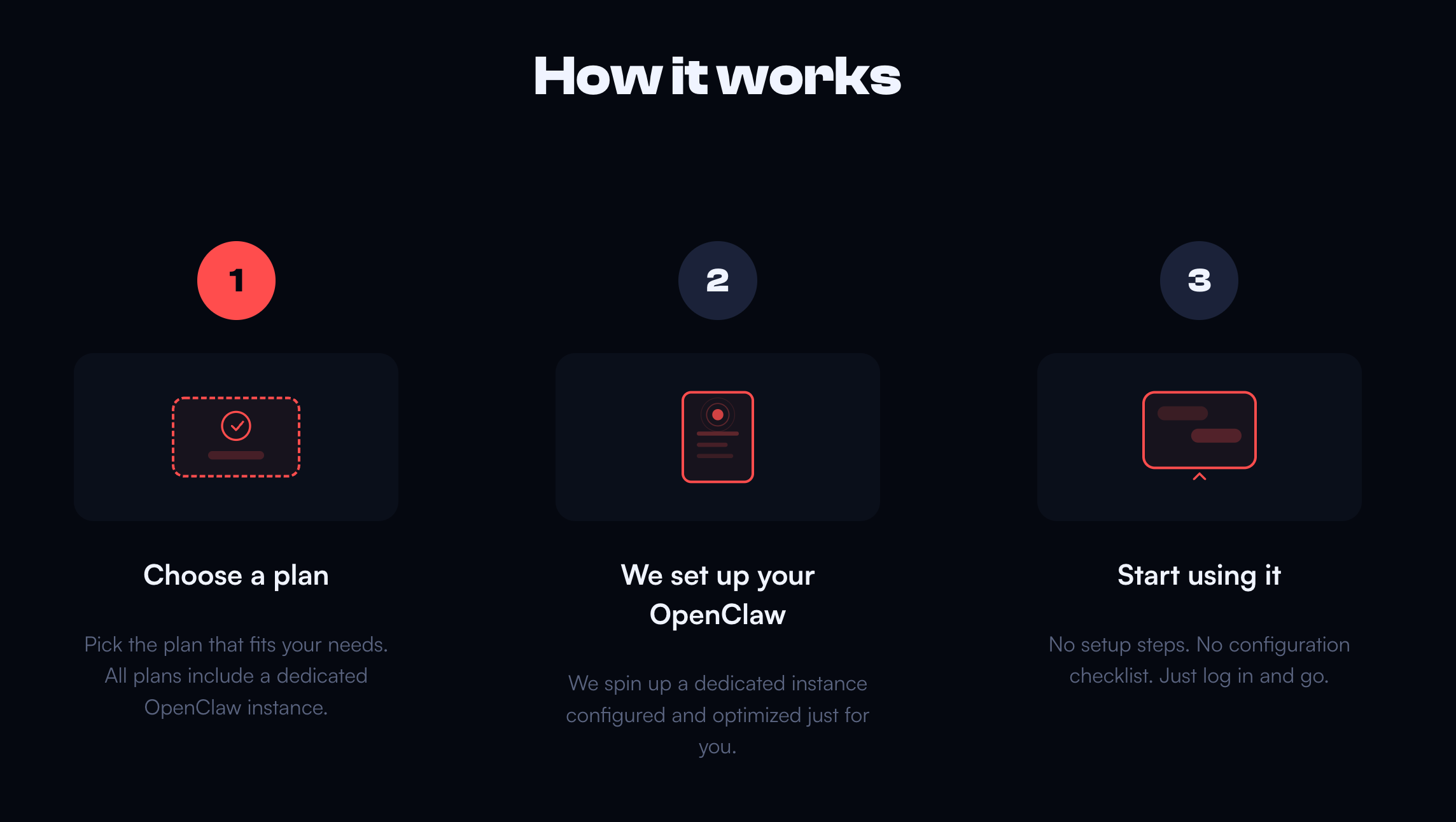 MyClaw setup is one of the main reasons people consider the product. Instead of starting from a blank server, installing dependencies, and keeping the process alive, you begin from a managed environment.
Step 1: Choose a Plan and Create Your Workspace
Start by creating an account and choosing the plan that matches your expected usage. Do not overbuy on day one. Start with enough resources for your first real workflow, then upgrade later if needed.
Step 2: Configure Your Assistant and Model
Next, configure the assistant itself. That usually means naming it, setting the basic behavior, and connecting your provider or model path. This step matters because a weak model fit can make the whole setup feel worse than it is. If model choice matters, this newer guide to the best model for OpenClaw can help.
Step 3: Connect Access and Test a Real Workflow
Finally, connect access through the supported interface and test one concrete task. Ask MyClaw to summarize a folder, monitor a source, draft from notes, or run a recurring workflow. Judge it by whether it handles work you actually care about.
What MyClaw Gets Right
The first strength is lower setup friction. Many people like OpenClaw but never get to the useful part because installation, hosting, and maintenance become the work. MyClaw removes much of that friction.
The second strength is always-on availability. If your assistant handles recurring tasks, monitoring, messages, browser actions, or background research, it should not depend on your laptop being awake. A managed environment makes the assistant feel more like infrastructure and less like an experiment.
The third strength is fit for non-DevOps users. Founders, marketers, operators, creators, and small teams may want agent workflows without owning every infrastructure decision.
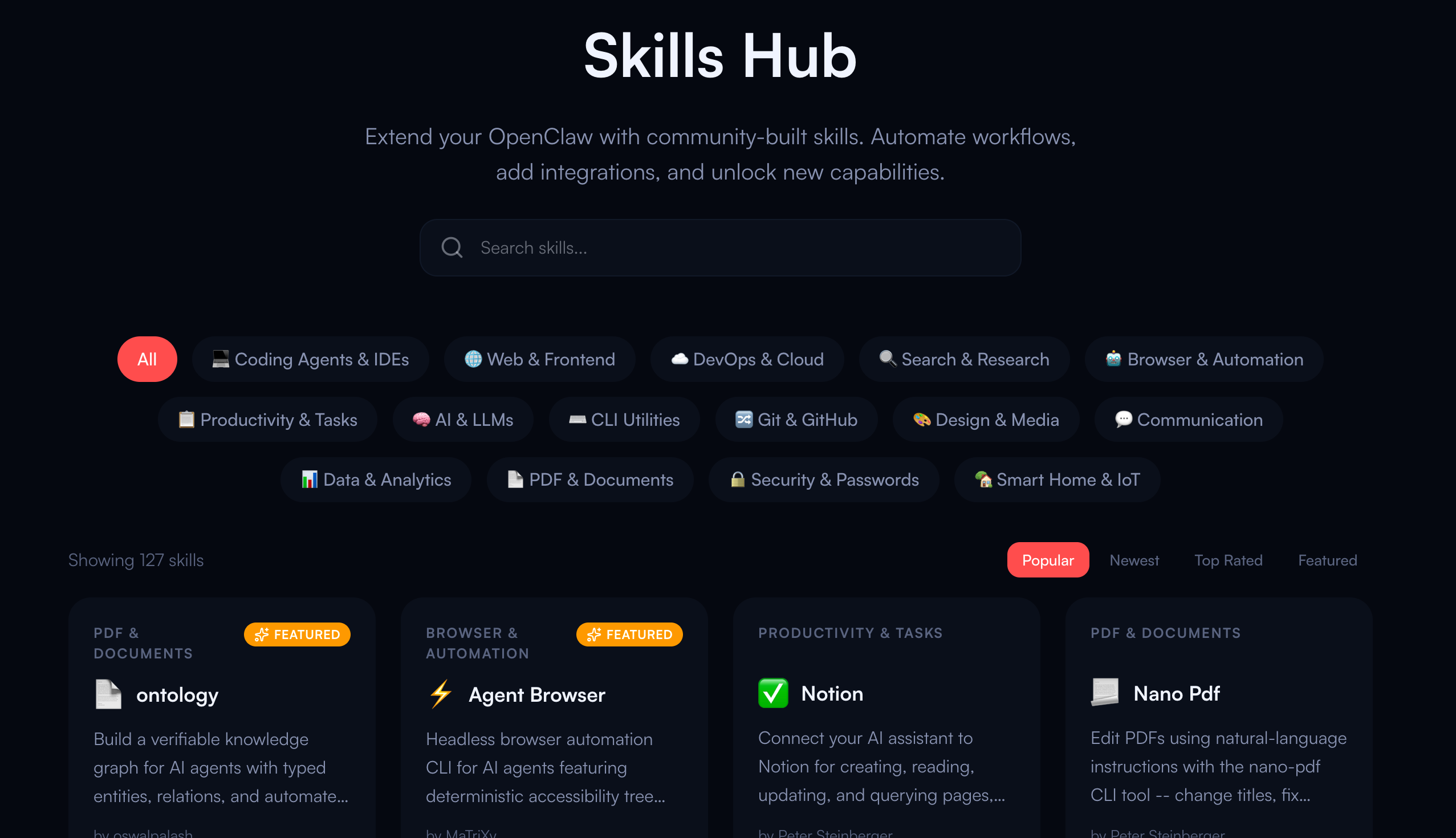 The fourth advantage is extensibility. The value of OpenClaw grows when skills and integrations are chosen well. If you plan to build a practical setup instead of installing random add-ons, the recent best OpenClaw skills guide is a natural follow-up.
Where MyClaw May Not Be the Best Fit
MyClaw is not the best answer for every user. If you want full control, self-hosting OpenClaw may still be better.
Cost can also become a concern. The hosting plan may look predictable, but model usage can vary. Long workflows, retries, and expensive models can make the monthly total less predictable.
There is also a trust and safety question. Any hosted AI workflow deserves scrutiny, especially if you process customer data, internal documents, credentials, or financial information. Before using MyClaw for sensitive work, review privacy terms, access controls, billing, retention, cancellation, and support expectations. For a wider checklist, this AI agent security guide covers the risks that matter once agents start using tools and permissions.
MyClaw vs. Self-Hosting OpenClaw
The cleanest comparison is convenience versus control.
Choose MyClaw if you want faster setup, managed uptime, automatic maintenance, private hosting, and less troubleshooting. It is the better fit when your goal is to use the assistant, not keep it alive.
Choose self-hosting if you want maximum control and are comfortable with servers, security, updates, secrets, networking, and debugging. It can be cheaper on paper, but not if it costs you weekends of maintenance.
This is why hosting comparisons matter. The decision is not only "Can I install OpenClaw myself?" It is "Do I want to own the operational burden after installation?" If that is the real question, the best OpenClaw hosting comparison is the most relevant next read.
Is MyClaw Legit and Safe to Use?
MyClaw is a real managed OpenClaw hosting product, but users should evaluate it the same way they would evaluate any hosted AI service. Do not treat convenience as a substitute for due diligence.
Before subscribing, check the official pricing page and billing terms. Understand whether AI usage is included or billed separately through your own provider keys. Review privacy and security terms before uploading sensitive data. Start with a low-risk workflow and see how it handles reliability, files, context, and support.
For most users, the practical answer depends on workflow. A personal research assistant and a customer-data automation system have very different risk levels.
Who Should Use MyClaw?
MyClaw is strongest for solo builders and operators who want a persistent assistant without spending days on deployment. It also fits small teams testing AI agent workflows without a new infrastructure project.
It is especially useful for people who tried DIY OpenClaw and got stuck. If setup became the project, MyClaw is the shortcut.
Avoid it if you need full self-hosting control, the lowest possible recurring cost, or a mature enterprise procurement process before adoption.
FAQ about MyClaw.ai
What Is MyClaw?
MyClaw is managed hosting for OpenClaw. It gives users a private, always-on OpenClaw assistant without requiring them to set up and maintain the full infrastructure themselves.
How Much Does MyClaw Cost?
Official pricing changes over time, so check the live pricing page before buying. The key point is that total cost may include both MyClaw hosting and AI model usage, depending on your configuration.
Is MyClaw Better Than Self-Hosting OpenClaw?
MyClaw is better if you value convenience, uptime, and less maintenance. Self-hosting is better if you want maximum control and are comfortable managing infrastructure yourself.
Is MyClaw Safe?
It depends on your use case. Review privacy, billing, access controls, and support terms first. Start with low-risk workflows before using MyClaw with sensitive business or customer data.
Conclusion
This MyClaw review comes down to one practical question: do you want OpenClaw badly enough to run it yourself, or do you mainly want the outcome without the operational work?
If you want managed OpenClaw, fast setup, always-on availability, and fewer maintenance headaches, MyClaw is worth considering. If you want full control or the lowest possible cost, self-hosting may still be the better path. The smartest next step is simple: test one real workflow, measure the total cost, and decide whether MyClaw saves enough time to justify the subscription.
Skip the setup. Get OpenClaw running now.
MyClaw gives you a fully managed OpenClaw (Clawdbot) instance — always online, zero DevOps. Plans from $19/mo.