Gemini Spark: What Google's 24/7 AI Agent Means for Personal Automation

Автор: Nathan Cole
Редакция MyClaw
MyClaw
Запустите OpenClaw прямо сейчас
Посмотрите, как хостинг, автоматизация, платежи, поддержка и операции OpenClaw объединяются в единый управляемый продукт.
AI Takeaway
- What is Gemini Spark? Google's new 24/7 personal AI agent for Gmail, Calendar, Docs, Sheets, Drive, Chrome, and other connected Google apps.
- What makes it different? It is built for background, multi-step work such as finding invoices, preparing meeting notes, drafting email updates, and checking web options.
- Who can access it? Google started with trusted testers on May 19, 2026, and plans to bring the beta to U.S. Google AI Ultra subscribers the week of May 25, 2026, with select business access also mentioned.
- What does it cost? Spark is tied to Google AI Ultra access, which now starts at $100/month in the U.S.; Google also offers a higher $200/month Ultra tier.
- What should you compare it with? OpenClaw, ChatGPT agent-style tools, Claude-style work agents, and managed AI agent hosting if you are comparing Gemini Spark AI agents with options available today.
- Should you wait for it? Wait if your work is almost entirely in Google Workspace. Compare OpenClaw-style options now if you need an always-on agent across more tools today.
Gemini Spark feels less like a single AI feature and more like a shift in how personal software is supposed to work. A normal chatbot waits for a question. A 24/7 AI agent takes a goal, moves between apps, and returns with work finished.
That is the promise Google is putting behind Gemini Spark. It can live inside the Google ecosystem, pull from Gmail and Docs, work with Calendar and Sheets, browse through Chrome, and help with messy workflows. Think less "write me a paragraph" and more "find the Airbnb receipt, add the restaurant charges to a Sheet, draft the trip-cost email, and remind everyone to pay by Friday."
The real question is whether it fits the way you work, what it costs, how much control it gives you, and what to use before Spark is widely available.
What Is Gemini Spark?
Gemini Spark is Google's personal AI agent for long-running digital tasks. As a Google AI agent, it runs on the Gemini 3.5 Flash and Antigravity stack, and it is built around a simple idea: an assistant should perform work across connected apps, not just answer questions.
If you are still separating these terms, the simplest distinction is this: a chatbot talks, an agent acts. For a deeper breakdown, see AI Agent vs Chatbot, because Gemini Spark sits firmly on the "agent" side of that line.
A 24/7 Agent, Not Just a Smarter Chat
The defining feature is persistence. Google describes Spark as a background agent that can continue working even when you are not sitting in front of the chat.
That opens the door to tasks like:
- watching for a customer email and drafting a response before lunch
- pulling details from three Docs and two email threads into a project brief
- checking invoices every Friday and logging missing receipts in Sheets
- comparing hotel or flight options in Chrome before making a recommendation
- turning meeting notes and chat messages into a status update
Built Around Google Workspace
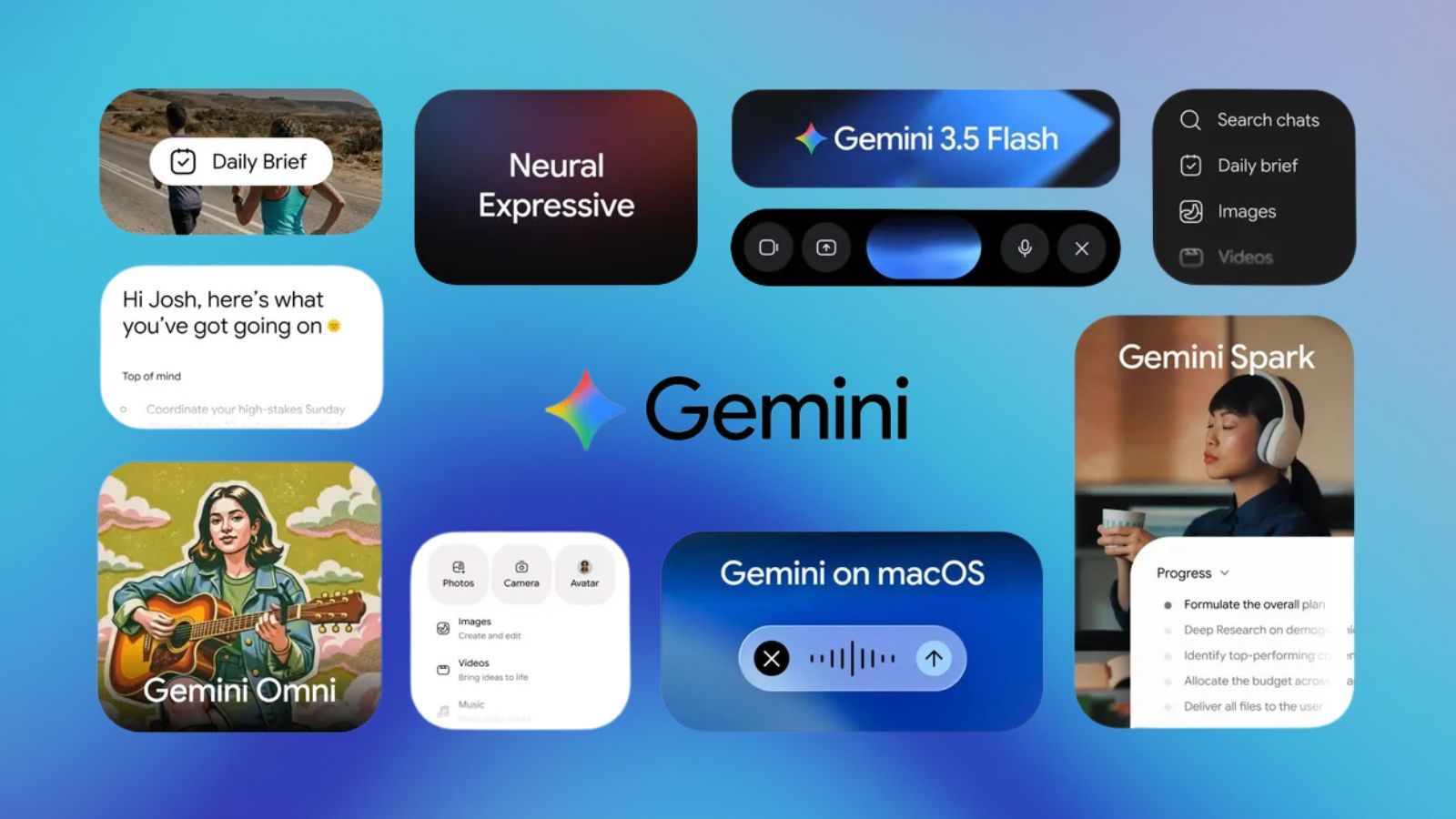 Gemini Spark's biggest advantage is obvious: Google already owns the place where a lot of work happens. Gmail, Calendar, Drive, Docs, Sheets, Slides, YouTube, Maps, Android, and Chrome are daily surfaces. Spark starts with more native context than most third-party agents can easily access.
What Can Gemini Spark Actually Do?
The strongest Gemini Spark examples are not flashy. They are practical: emails, receipts, planning, reminders, browser research, file cleanup, and project handoffs.
Organize Email, Documents, and Receipts
One clear use case is inbox and document cleanup. Spark can find information across email chains, PDFs, Docs, Sheets, and Drive folders, then turn it into a structured output. For example, you might ask it to collect invoices from the past month, log vendor names and totals into a spreadsheet, and draft a reimbursement message to the team.
Run Multi-Step Personal Workflows
Spark belongs in the broader conversation about agentic AI: systems that understand a goal, pick the next action, call tools, check results, and continue. The difference is covered in Agentic AI vs Generative AI, and Spark is a good mainstream example of that shift.
| Task | What Spark Would Need to Do |
|---|---|
| Plan a group trip | Read emails, compare bookings, create a shared plan, draft updates |
| Prep for a meeting | Review docs, summarize threads, create notes, suggest questions |
| Track home paperwork | Find invoices, add reminders, maintain a supply list |
| Manage an inbox | Prioritize messages, draft replies, flag missing follow-ups |
Gemini Spark Release Date, Availability, and Cost
The first limitation is access. If you are checking the Gemini Spark release date, the public rollout started with trusted testers on May 19, 2026. Google said the beta is planned for U.S.-based Google AI Ultra subscribers the week of May 25, 2026. Google also mentions select business users, but Gemini Spark availability is not broad or global at the starting point.
Gemini Spark Cost: Why Google AI Ultra Matters
Gemini Spark is tied to Google's premium AI strategy. Google AI Ultra now starts at $100/month in the U.S., with a higher $200/month Ultra tier for heavier use. Both prices put Spark in the "power user" category, not the casual free-tool category.
 If you already wanted Gemini's premium models, high limits, storage bundle, YouTube Premium, and early-access features, Spark belongs to a broader package. If you only want a personal automation agent, the $100/month starting point will be compared against self-hosted tools, browser agents, workflow automation platforms, and managed OpenClaw hosting.
Gemini Spark Pricing Is Not Just the Subscription
With AI agents, cost is not only the monthly price:
- Subscription cost: Gemini Spark starts with Google AI Ultra access at $100/month in the U.S.; MyClaw starts at $19/month for a hosted OpenClaw instance.
- Setup cost: Spark should be smoother inside Google apps; self-hosted OpenClaw can require server, runtime, update, and channel setup.
- Trust cost: Spark is designed to touch Gmail, Drive, Calendar, Chrome, and purchase-related workflows; any agent needs clear permission boundaries.
That third point is easy to underestimate. A 24/7 agent becomes powerful because it has access. If you are comparing tools in this category, AI Agent Security is worth reading before connecting email, files, payment accounts, or production systems.
Gemini Spark vs OpenClaw
 The clearest comparison is Gemini Spark vs OpenClaw, because both are built for action rather than chat. Gemini Spark is Google-native. OpenClaw is open-source and customizable: it can be self-hosted, extended, connected to different models, and used across messaging, browser automation, developer tasks, files, APIs, and custom skills.
The Simple Comparison
| Category | Gemini Spark | OpenClaw |
|---|---|---|
| Best fit | Gmail, Docs, Sheets, Drive, Chrome users | Users who want non-Google tools, custom skills, and model choice |
| Starting price | Google AI Ultra from $100/month in the U.S. | OpenClaw is open source; MyClaw managed hosting starts at $19/month |
| Ecosystem | Google Workspace and Chrome first | Multi-model, multi-tool, custom workflows |
| Setup | Easier inside Google | More technical if self-hosted |
| Availability | Trusted testers, U.S. Ultra beta, select business users | Available through self-hosting or managed hosting |
| Control | More closed and Google-managed | More open and customizable |
Gemini Spark is the easier fit inside Google Workspace. OpenClaw is the better fit if you want your agent to reach beyond Google.
Ecosystem vs Control
This is the real tradeoff. Google can make Spark feel smooth because it controls the environment. OpenClaw covers more surfaces because it is not limited to one environment. If you want Telegram, Discord, GitHub, local files, browser tasks, custom APIs, or multiple AI models, OpenClaw gives you a wider surface.
Gemini Spark Alternatives
If you like the idea of Gemini Spark but cannot access it yet, there are three concrete paths.
Self-Hosted OpenClaw
Self-hosting OpenClaw gives the most control. You can run your own instance, choose your model, install skills, and connect channels such as Telegram, Discord, Slack, or browser automation. The catch is maintenance: installation, updates, uptime, security, and troubleshooting stay on you.
Managed OpenClaw Hosting
Managed OpenClaw hosting is the middle path: you get the OpenClaw-style always-on assistant without maintaining the server yourself.
 This is where MyClaw fits naturally. MyClaw runs a dedicated OpenClaw instance for you, keeps it online 24/7, handles setup and maintenance, and starts at $19/month. It is a concrete path to an always-on AI assistant when you want more control than a closed Google-only system.
| MyClaw Plan | Monthly Price | Included Instance |
|---|---|---|
| Lite | $19/month | 2 vCPU, 4GB RAM, 40GB storage |
| Pro | $39/month | 4 vCPU, 8GB RAM, 80GB storage |
| Max | $79/month | 8 vCPU, 16GB RAM, 160GB storage |
If you are comparing deployment paths, Best OpenClaw Hosting goes deeper into self-hosting, VPS setup, and managed options.
Workflow Automation Tools
Traditional automation tools still matter. Zapier, Make, n8n, and newer AI workflow platforms work well when the process is predictable, such as "when a Typeform response arrives, create a HubSpot lead and send a Slack message." AI agents fit better when the task involves judgment or messy context. For a broader comparison, see Workflow Automation Software.
Should You Wait for Gemini Spark?
If you want the most polished Google-native experience, waiting makes sense. Gemini Spark could become the easiest option for work that already lives in Gmail, Calendar, Docs, Sheets, and Chrome.
If you want an agent today, especially one that works outside Google Workspace, waiting is less compelling. OpenClaw and managed OpenClaw hosting already cover background automation, tool use, personal workflows, and always-on availability.
The choice comes down to your real workflow:
- choose Gemini Spark if your core work is Gmail, Calendar, Drive, Docs, Sheets, Chrome, and you are comfortable with Google AI Ultra pricing
- choose self-hosted OpenClaw if you want maximum control and can handle server setup, upgrades, and security
- choose managed OpenClaw hosting if you want an always-on OpenClaw instance without infrastructure work
- choose workflow automation software if your process is repetitive, predictable, and easy to express as triggers and actions
Conclusion
Gemini Spark matters because it makes the 24/7 AI agent feel mainstream. It gives a clear shape to the next step after chat: an assistant that moves work forward across apps.
For Google Workspace-heavy users, Gemini Spark becomes the natural choice once access expands. For users who want broader tool support or an agent they can start using sooner, OpenClaw-style options deserve serious comparison.
MyClaw is one of those options for people who want the always-on agent experience without self-hosting. Gemini Spark gets everyone looking at personal AI agents. The next step is choosing the setup that fits the way you actually work.
Пропустите настройку. Запустите OpenClaw прямо сейчас.
MyClaw предоставляет полностью управляемый экземпляр OpenClaw (Clawdbot) — всегда онлайн, без DevOps. Планы от $19/мес.