What's Inside GPT Image 2? Prompts, Skills, & Creative Workflows
GPT Image 2 matters because image generation is becoming useful for real work: product ads, blog graphics, UI mockups, social posts, and reference-based edits. A single prompt can create one good image. A workflow can create the right image, save it in the right place, adapt it for different channels, and repeat the process next week. The best use of GPT Image 2 is not only typing into a generator. It is learning which prompts work, turning repeatable tasks into skills, and connecting image generation to the rest of the creative process.
What GPT Image 2 Actually Helps You Do
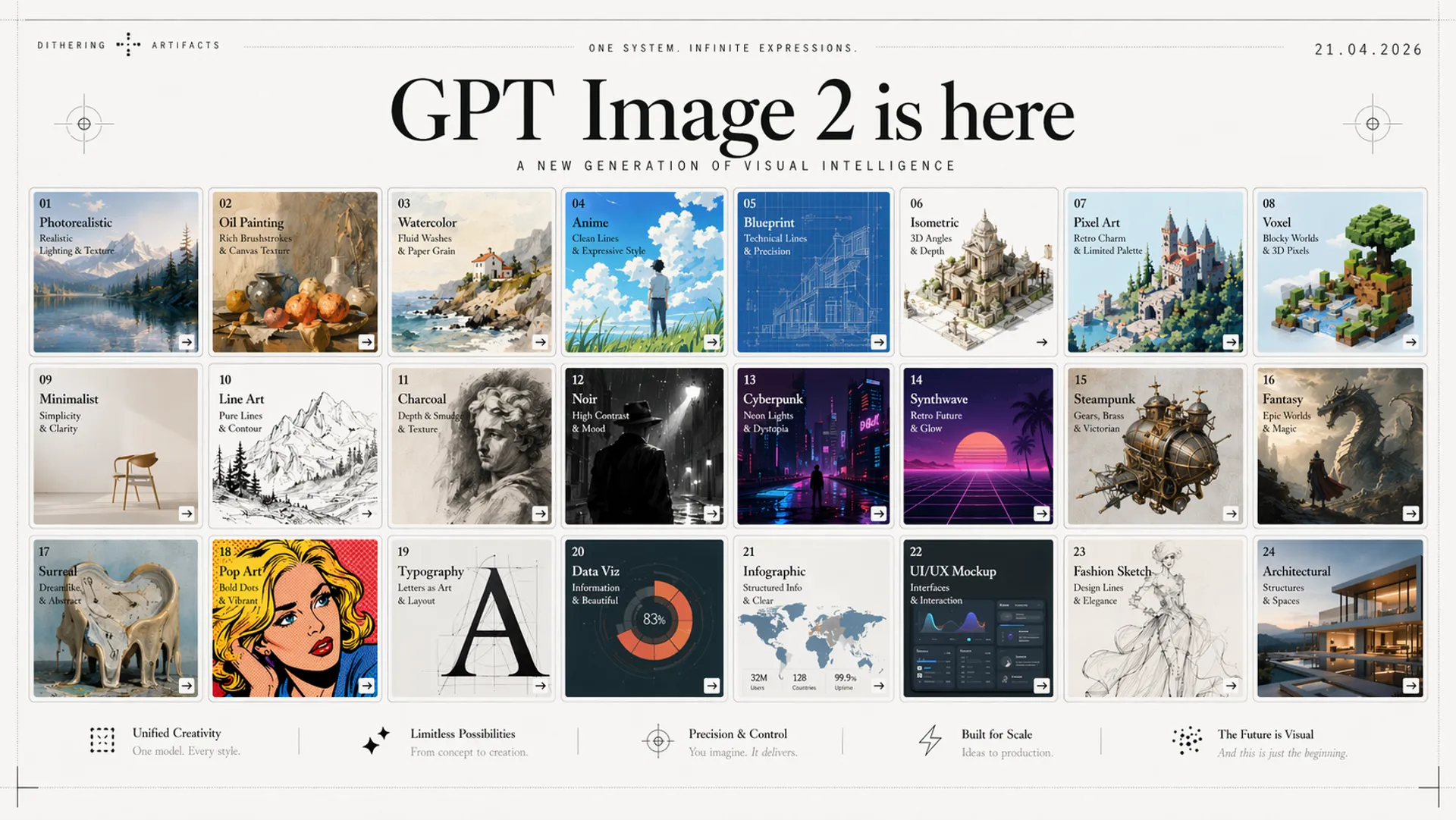
OpenAI GPT Image 2 is built for image generation and image editing. You can describe an image, provide reference images, ask for edits, and create commercial visuals.
For casual work, a GPT image 2 generator is enough: enter a prompt, get an image, and download the result. For product or marketing workflows, the GPT Image 2 API matters more because it connects image generation to files, calendars, product references, and agent tools.
 Its strongest use cases are structured visual tasks:
- Product photos with a specific reference item
- Social ads with readable headline text
- Blog hero images that match an article topic
- UI mockups for product exploration
- Posters, banners, and campaign graphics
- Reference-image edits where the subject needs to stay recognizable
- Multi-format campaign variations
It can also work as a GPT Image 2 image editor when the job is to preserve a subject while changing background, style, layout, or campaign format. The model matters, but output still depends on the brief. A weak prompt asks for a nice image. A strong prompt gives the model a job, constraints, and a clear format.
GPT Image 2 Prompts You Can Actually Reuse
A good GPT image 2 prompt should read like a creative brief. Include subject, purpose, audience, layout, style, required text, reference rules, and output size.
⭐️ Product Ad Prompt
Use this when you have a product photo and need an ad creative:
Create a 1:1 product ad for [product name]. Use the uploaded product image as the exact reference. Show it on a clean studio surface with soft daylight, realistic shadows, and a premium ecommerce look. Add readable headline text: "[headline]". Add supporting text: "[offer]". Keep the product shape, color, and logo unchanged. No distorted packaging or fake ingredients.
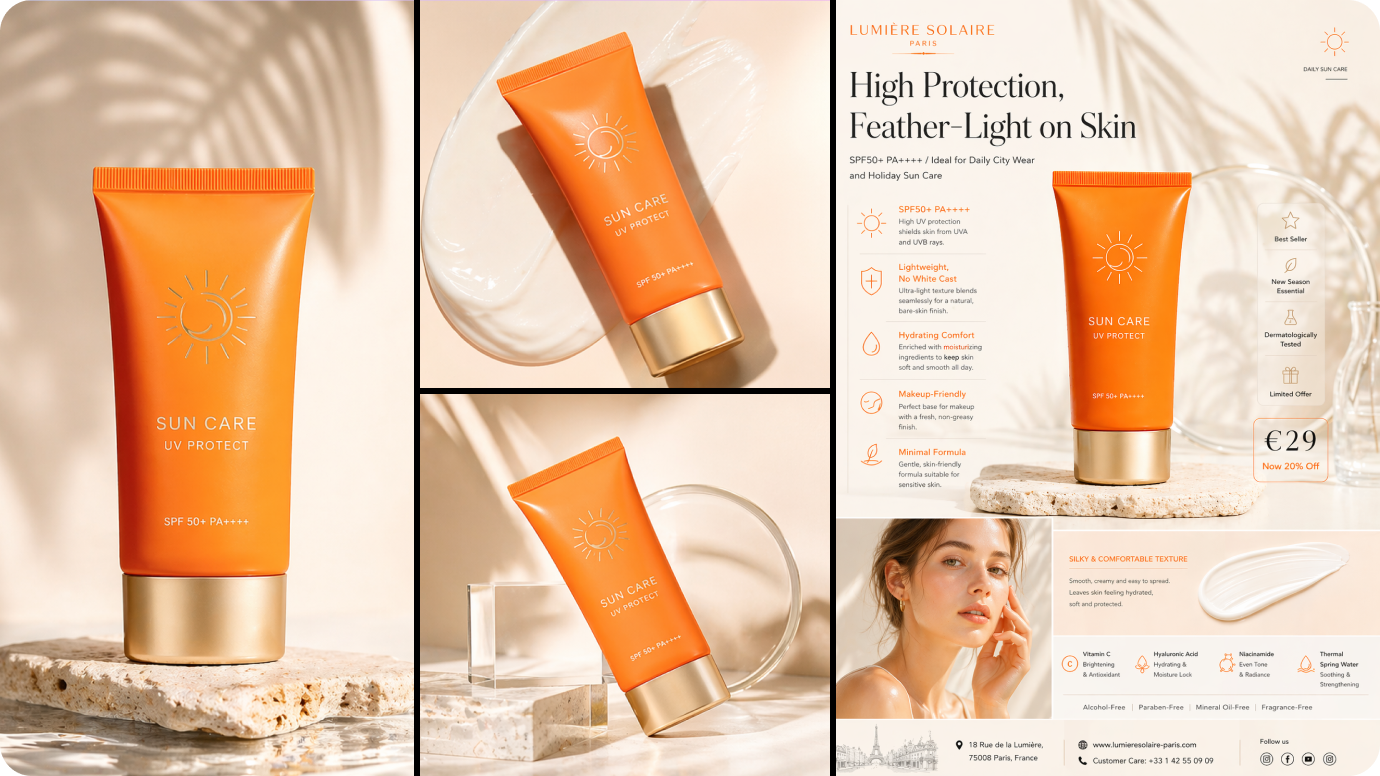 This tells GPT Image 2 what must stay fixed: product shape, color, logo, and claims.
🌈 Blog Hero Image Prompt
Use this when you need a visual for an article:
Create a 16:9 blog hero image for an article titled "[title]". The audience is [audience]. Use a clean editorial style, realistic workspace scene, and one visual metaphor for [topic]. Leave negative space on the left. Do not include random text. Use subtle brand colors: [colors].
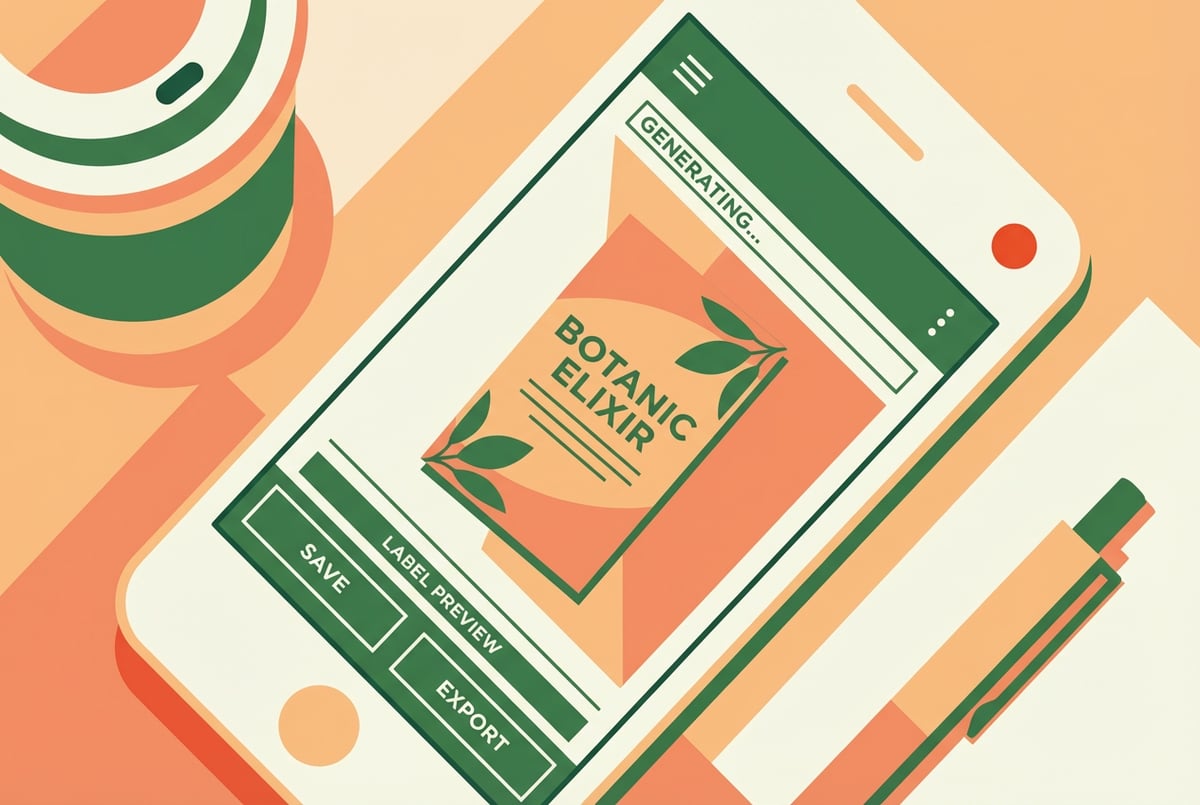 This gives layout, audience, style, and brand color without asking for too much in-image text.
🛍 Social Campaign Pack Prompt
Use this when one idea needs several channel versions:
Create three coordinated visuals for [campaign theme]: one Instagram square, one vertical story, and one LinkedIn banner. Keep the same product, colors, lighting, and mood. Adapt composition to each format. Include only this text where appropriate: "[short message]".
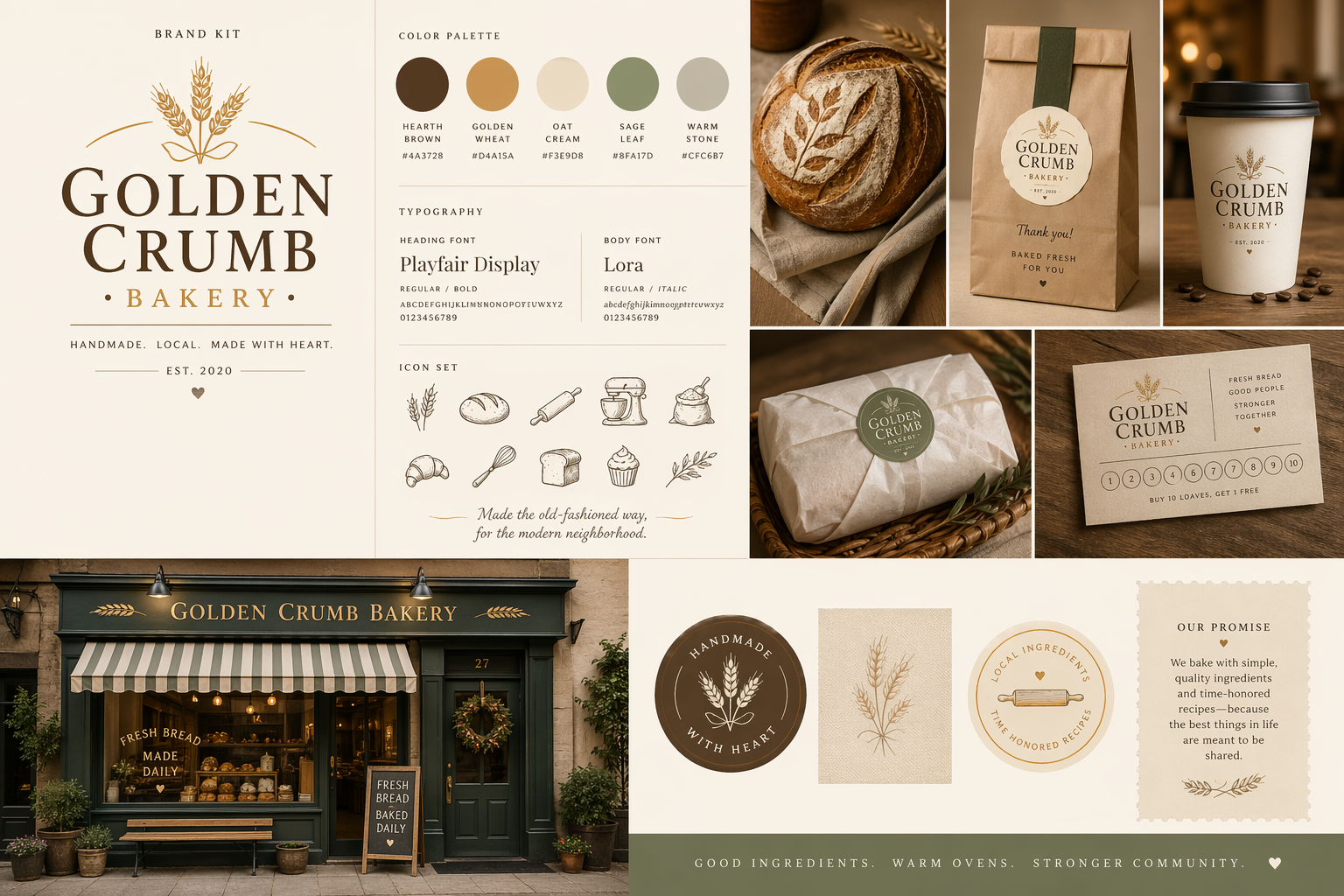 Campaigns rarely need one isolated image. They need assets that look connected.
GPT Image 2 Skills Make the Workflow Repeatable
A prompt helps once. A GPT-2 image skill helps when the same work keeps coming back.
In an agent workflow, a skill can package input fields, prompt structure, file naming, output checks, and follow-up steps. MyClaw has a guide to the best OpenClaw skills for different workflows.
Blog Hero Image Skill
A blog hero image skill could take:
- Blog title
- Target reader
- Brand colors
- Article summary
Then it would draft directions, generate prompts, create variants, save the selected file, and write alt text plus a filename.
Product Ad Variant Skill
For ecommerce or SaaS ads, a skill could take:
- Product image
- Offer
- Platform
- Target audience
 It would generate square, vertical, and landscape versions, preserve the reference, create headline variations, and organize files by campaign.
UI Mockup Skill
For product teams, a UI mockup skill could take a feature description, user type, app category, and brand style. It could create a landing page mockup, app screen concept, and dashboard direction.
This makes GPT Image 2 useful for fast product exploration without starting each mockup from a blank page.
From One-Off Images to Ongoing Creative Automation
Manual image generation is fine for quick testing. You enter a prompt, choose an output, download the file, and move on.
It breaks down when the work repeats. A content team may need blog images every week. A founder may need ads in multiple formats. A product team may want mockups for every new feature.
Then the work around the image matters:
- Writing the brief
- Creating prompt variants
- Checking and renaming outputs
- Saving files in the right folder
- Drafting alt text
- Creating social versions
- Sending a review summary
This is the difference between a chatbot and an agent workflow. A chatbot answers. An agent carries work across steps. MyClaw explains this in its guide to AI agents vs. chatbots.
Use MyClaw to Run GPT Image 2 as a Creative Workflow
 MyClaw is the practical layer for people who want OpenClaw without managing infrastructure. It provides managed OpenClaw hosting, so you can run a private, always-on assistant without setting up servers, Docker, updates, or maintenance.
For GPT Image 2 workflows, that matters because creative work rarely happens in one step. The agent needs to read the brief, prepare prompts, call the provider, save files, and report back.
Here is what that can look like:
Every Monday, you send MyClaw your content calendar. The OpenClaw agent reviews the topics, writes image briefs, creates GPT Image 2 prompts, generates blog hero images and social variants, saves files, drafts alt text, and sends a review summary.
The important part is that the agent can run the routine again next week. For hosting comparisons, MyClaw's guide to best OpenClaw hosting is a good next step.
Manual Generator vs. MyClaw Agent Workflow
A manual GPT Image 2 generator is right when you need one image, want to test a style, or are exploring quickly. A free GPT Image 2 generator can be useful for early testing, but it usually stops at the image output.
A MyClaw agent workflow makes sense when image generation is recurring. Use it when you need:
- Blog, ad, and social variants
- Repeated visual tasks
- Organized files and filenames
- Reference-image consistency
- Image generation connected to research or publishing
- OpenClaw running without self-hosting
Many users start with manual prompting. Once a task becomes predictable, they turn the prompt into a skill and let an agent handle the repeatable parts.
Practical Tips for Better GPT Image 2 Results
The simplest way to improve output is to give the model a real job. Ask for a product ad, ecommerce hero, app mockup, blog image, or campaign pack.
Use reference images when identity matters. For products, characters, logos, packaging, or brand style, the reference image should be treated as the source of truth.
Define the review standard before generating. A good output is usable: readable text, correct product shape, clean composition, right size, and clear hierarchy.
Do not rewrite the same prompt forever. When a prompt becomes part of your weekly process, turn it into a GPT Image 2 skill. When the skill becomes part of a larger routine, run it through an agent.
FAQ
Is GPT Image 2 the same as ChatGPT Images 2.0?
GPT Image 2 usually refers to the model used for image generation and editing. ChatGPT Images 2.0 refers to the user-facing image experience inside ChatGPT.
How is GPT Image 2 different from DALL-E 3?
GPT Image 2 vs DALL-E 3 usually comes down to instruction following, image editing, reference handling, and readable text. DALL-E 3 made text-to-image generation mainstream, but GPT Image 2 is better suited for detailed briefs and repeatable production.
Do I need a GPT Image 2 skill?
No. You can use GPT Image 2 directly. A skill becomes useful when you want the same image workflow to run again with consistent inputs, prompts, file names, and outputs.
Can MyClaw use GPT Image 2?
MyClaw is managed hosting for OpenClaw. If your setup includes a GPT Image 2-compatible provider, your MyClaw-hosted agent can use that workflow as part of broader automation.
Conclusion
GPT Image 2 is a strong image model, but one-off generation is only the beginning. Prompts help you get better images. Skills make those prompts repeatable. MyClaw makes the workflow easier to run by hosting a private OpenClaw assistant that can turn GPT Image 2 into ongoing creative automation.
Skip the setup. Get OpenClaw running now.
MyClaw gives you a fully managed OpenClaw (Clawdbot) instance — always online, zero DevOps. Plans from $19/mo.