Best AI Note-Taking App in 2026: Meetings, Notes, and Follow-Ups
The best AI note-taking app is not always the one with the most features. It is the one that fits the kind of notes you actually take. A founder in back-to-back calls needs something different from a student recording lectures. A writer building a knowledge base needs something different from a sales team turning calls into follow-ups.
AI note-taking now covers meeting recorders, voice memo apps, research assistants, second-brain workspaces, and tools that extract action items. Before you choose, ask one simple question: do you need to capture information, organize it, or act on it?
Quick Answer: Choose by the Job You Need Done
If you want the shortest version, start with your workflow.
| Your Main Need | Best Type of Tool | Examples to Compare |
|---|---|---|
| Meeting transcripts and summaries | AI meeting note taker | Otter, Fireflies, Fathom, Granola, Fellow |
| A generous free plan | Free or freemium note app | Fathom, Otter free plan, ScreenApp-style tools |
| Personal notes and knowledge | AI notes workspace | Notion AI, Mem, Reflect, Evernote, Obsidian plugins |
| Team meeting knowledge | Team meeting workspace | Fellow, Fireflies, Otter Business, tl;dv |
| Lectures and research | Study or research assistant | NotebookLM, Notability, Goodnotes, study-focused apps |
| Notes that become tasks | Notes plus workflow layer | Automation tools, task-focused apps, private AI agents |
For most calls, the best AI note-taking app for meetings is a dedicated meeting note taker. For personal knowledge, Notion AI, Mem, Reflect, Evernote, and Obsidian-style setups usually make more sense. For follow-up work, look beyond note quality. A clean summary does not solve much if the action items sit in a transcript no one opens again.
What Makes a Good AI Note-Taking App?
A strong AI note-taking app should make capture easy, keep information searchable, and turn messy input into something useful.
Fast Capture
 The app should work when the thought or conversation is happening: one-tap voice recording, automatic meeting capture, a desktop recorder, a browser extension, or quick text entry. If capture feels slow, you will stop using it.
Accurate Transcription
For meetings, transcription is still the foundation. Check how the app handles accents, interruptions, crosstalk, quiet speakers, and mixed online/in-person meetings. Speaker labels matter too; "Speaker 1" and "Speaker 2" get old quickly.
Useful Summaries
Good summaries separate key points, decisions, risks, open questions, owners, deadlines, and next steps. If every summary sounds polished but vague, it will not help much.
Search and Chat With Notes
 As your library grows, search becomes more important than capture. A strong AI notes app should let you ask questions across notes, meetings, files, and research, then point back to sources.
Privacy and Data Control
Your notes may include customer calls, hiring decisions, strategy, financial details, or personal reminders. Check recording consent, storage, model training policies, exports, and deletion controls. Bot-free recording can also matter if you do not want an extra participant changing the tone of a meeting.
Best AI Note-Taking Apps by Use Case
There is no single winner, so compare tools by what you need them to do.
Best AI Note-Taking App for Meetings
If your calendar is full, start with meeting-first tools like Otter, Fireflies, Fathom, Granola, Fellow, tl;dv, or Notta.
Compare them on:
- Zoom, Google Meet, and Teams support
- live transcription
- bot versus bot-free capture
- speaker identification
- summary quality
- action item extraction
- team sharing
- CRM or project tool integrations
Otter and Fireflies are familiar options for transcription and searchable meeting history. Fathom is popular for fast summaries and a strong free tier. Granola is useful if you prefer a lightweight meeting notepad. Fellow is stronger when agendas and team recaps matter.
Best Free AI Note-Taking App
When comparing the best free AI note taking app, look at the real limits: transcription minutes, meeting length, storage, exports, summaries, and collaboration. A free plan is usually enough for testing, school, or occasional meetings. If you need shared history, admin controls, or integrations, you will probably need a paid plan.
Best AI Notes App for Personal Knowledge
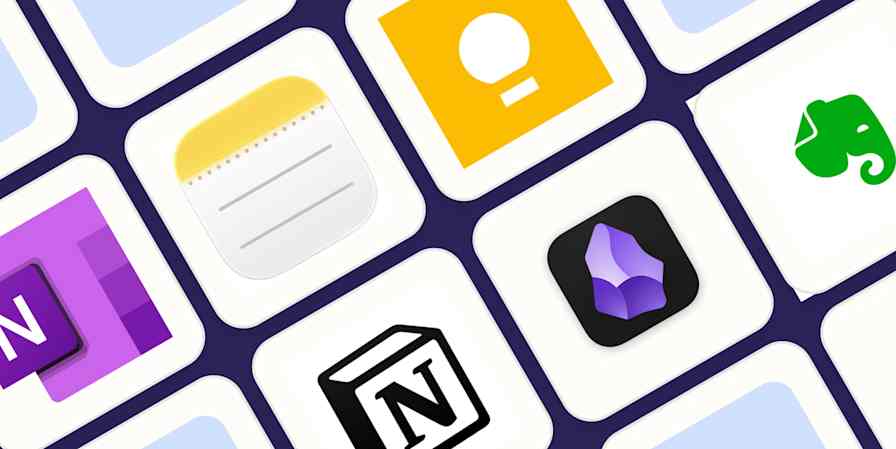 If your notes are not mainly meetings, choose a knowledge-focused app. Notion AI, Mem, Reflect, Evernote, Obsidian with AI plugins, Tana, and Logseq-style tools are better for organizing ideas, linking related notes, cleaning up rough writing, and searching old material. The tradeoff: they are not always great meeting recorders.
Best AI Note-Taking App for Students and Research
Students and researchers should prioritize PDF support, lecture capture, source-grounded answers, flashcards, quizzes, handwritten notes, and citation-friendly summaries. NotebookLM, Notability, Goodnotes, and study-focused apps are often more useful here than business meeting tools.
Best AI Note-Taking App for Teams
![Best AI Note Takers for Microsoft Teams [2026]](https://www.happyscribe.com/sanity-images/ejgwz1gl/redesign/5958675fdadf692267f3ba3da369f11c4f9ae62a-1536x1024.png?auto=format&w=1536.0&rect=58,88,1460,730&h=768) Teams should care less about one person's perfect notes and more about shared access, permissions, searchable history, admin controls, and handoff into the tools where work happens. A meeting summary is useful only if the right people can find it later.
Teams should care less about one person's perfect notes and more about shared access, permissions, searchable history, admin controls, and handoff into the tools where work happens. A meeting summary is useful only if the right people can find it later.
The Part Most AI Note-Taking Apps Still Miss
Most AI note-taking apps are good at capture now. The harder part is what happens after that.
After a meeting, you may still need to write follow-up emails, create tasks, assign owners, update a CRM, add calendar blocks, share context, and organize files.
This is where note-taking starts to overlap with workflow automation. A note app can tell you that someone needs to follow up with a lead. It may not update the CRM, draft the email, create the reminder, and prepare the next call brief.
If you are comparing fixed automation tools for that handoff, this guide to Zapier alternatives explains when trigger-action automation is enough. If you are trying to understand why "summarize this meeting" and "handle the follow-up work" are different requests, this breakdown of agentic AI vs generative AI is the cleaner next read.
When Notes Need to Turn Into Real Work
If your main problem is recording the meeting, stay with a dedicated AI note-taking app. If your main problem starts after the meeting, you may need a workflow layer.
 This is where MyClaw can make sense, but not as a direct replacement for Otter, Fireflies, Fathom, Granola, or Notion AI. MyClaw is better understood as the layer after capture.
MyClaw gives you a managed OpenClaw environment: a private, always-on assistant that can work across apps, files, browsers, email, calendars, and APIs without requiring you to self-host OpenClaw.
For example, you could use a meeting note taker to capture the transcript, then ask an assistant to draft follow-up emails, turn decisions into tasks, update a project brief, or prepare the next-step summary for review. For a wider category view, see this guide to choosing an AI agent platform.
Example: Meeting Summary to Follow-Up Drafts
You finish a customer call. Your meeting note app creates the summary. Instead of manually writing everything from scratch, you use that summary to prepare a thank-you email, recap decisions, list action items, create a reminder, and draft a CRM update. You still review before sending, but you are no longer starting from a blank page.
How to Choose the Right Tool
Before you choose, name the bottleneck.
| If Your Problem Is... | Choose... |
|---|---|
| You miss details in meetings | AI meeting note taker |
| You need searchable knowledge | AI notes app |
| You need help studying | Research or study note app |
| You need lower cost | Free or freemium note app |
| You need follow-through | Automation or agent workflow layer |
For a broader comparison, this guide to workflow automation software can help you decide whether you need a simple connector, a visual builder, or an AI agent workflow.
The most practical setup may be a stack, not one app: one tool to capture the meeting, another to store knowledge, and a third layer to execute follow-ups.
FAQ
What Is the Best AI Note-Taking App?
It depends on your workflow. For meetings, choose a meeting note taker. For personal knowledge, compare Notion AI, Mem, Reflect, Evernote, and Obsidian plugins. For follow-up work, look at integrations and automation.
What Is the Best AI Note-Taking App for Meetings?
It should record reliably, transcribe accurately, identify speakers, summarize decisions, extract action items, and make old meetings easy to search.
What Is the Best Free AI Note-Taking App?
It is the one with limits you can live with. Check transcription minutes, recording length, storage, exports, and summary limits before you commit.
Are AI Note-Taking Apps Safe?
They can be, but review consent, retention, cloud processing, model training policies, exports, deletion controls, and admin permissions before using any app for sensitive notes.
Can AI Note-Taking Apps Create Tasks Automatically?
Many can extract action items, but fewer can reliably move them into calendars, CRMs, task managers, email drafts, and project tools. If that handoff matters, compare integrations as carefully as summaries.
Can MyClaw Replace an AI Note-Taking App?
Not for pure transcription. MyClaw is not trying to be a meeting recorder. It makes more sense as a private AI agent layer for the work after notes: follow-up drafts, task handoff, browser workflows, file organization, scheduling, and recurring automation.
Conclusion
The best AI note-taking app is the tool that fits the job. Use a meeting note taker for transcripts, an AI notes workspace for long-term knowledge, and a study tool for lectures or research.
If the real pain is what happens after the note, look beyond capture. Notes are valuable because they preserve context. They become much more valuable when they turn into follow-ups, tasks, decisions, and finished work.
Skip the setup. Get OpenClaw running now.
MyClaw gives you a fully managed OpenClaw (Clawdbot) instance — always online, zero DevOps. Plans from $19/mo.