Claw Code Alternatives: Which Option Fits Your Coding Workflow Best?

By Nathan Cole
MyClaw Editorial
MyClaw
Get OpenClaw running now
See how hosting, automation, payments, support, and OpenClaw operations come together in one managed product experience.
Developers searching for Claw Code alternatives are usually trying to solve a practical workflow problem, not just replace one tool with another. Some want less setup, some want a smoother coding experience inside the IDE, and others need more control over privacy, hosting, or approval flow. The right choice depends on how you actually work: whether you prefer managed infrastructure, terminal-first control, or editor-native speed. This guide compares several Claw Code alternatives from that perspective, so you can quickly understand which option fits your daily coding process, team structure, and maintenance tolerance without getting lost in feature lists alone.
Why Developers Search for Claw Code Alternatives
Most developers do not start looking for Claw Code alternatives because they want more tools. They start looking because their current setup does not fit the way they actually build software. In some cases, the friction comes from hosting and maintenance. In others, it comes from workflow mismatch, limited control, or the fact that a tool feels better for demos than for ongoing code review, refactoring, and test generation.
Another common reason is that developers want a tool that matches their preferred working style. Some want an IDE-first assistant that stays close to the editor. Others want a terminal-native tool with stronger control over prompts, diffs, and execution. Teams may also care about privacy, always-on availability, or how much day-2 operational work a tool creates after the initial setup. That is why Claw Code alternatives matter: the best option is rarely the one with the longest feature list but the one that fits your workflow best.
Top 5 Claw Code Alternatives to Consider for Different Purposes
1. MyClaw.ai - Best for Managed, Always-On OpenClaw Setup
 MyClaw.ai is designed for developers and teams that want the benefits of OpenClaw without turning deployment and maintenance into a separate infrastructure project. Instead of spending time setting up environments, managing uptime, handling updates, and planning backups, you can start with a managed, always-on setup that is already prepared for real coding workflows. This makes it a practical option for teams that care about speed, operational simplicity, and a more stable day-to-day experience.
What makes MyClaw.ai different from many Claw Code alternatives is that it focuses on reducing setup friction while still giving you a private, usable OpenClaw environment. That can be especially useful if your goal is not just to test an agent once, but to use it regularly for code reviews, test generation, refactoring, and ongoing engineering tasks. It is a stronger fit for people who want OpenClaw to work like a product they can rely on, rather than a system they need to keep maintaining behind the scenes.
Key Features:
- Private OpenClaw environment
- Always-on availability
- Managed updates and maintenance
- Backup and support readiness
- Lower day-2 operational overhead
How to Use It:
Step 1: Start your MyClaw.ai environment.
Step 2: Connect your coding workflow or repositories.
Step 3: Use it for ongoing tasks such as reviews, tests, and refactoring.
Pros:
✅ Private OpenClaw environment
✅ Always-on availability
✅ Managed updates and maintenance
✅ Lower day-2 operational overhead
Cons:
❌ Less suitable for developers who want a fully self-managed setup
2. Cursor - Best for IDE-First AI Coding Workflow
 Cursor is a strong choice for developers who want AI coding help directly inside the editor. Instead of centering the workflow around terminal commands or separate deployment steps, it keeps the experience close to where code is actually written and revised. That makes it appealing for people who value speed, inline editing, and a more familiar IDE-first workflow.
Compared with more managed or infrastructure-oriented Claw Code alternatives, Cursor is often a better fit when the main priority is editing velocity and day-to-day usability inside the coding environment itself. It works especially well for developers who want quick assistance with rewriting, navigating code, or making iterative changes without leaving the editor. For solo developers or fast-moving product teams, that kind of tight editor integration can matter more than OpenClaw hosting, a fully managed runtime, or a more operations-heavy setup.
Pros:
✅ Strong IDE-first workflow
✅ Fast for inline edits and iterative coding
✅ Good fit for developers who want to stay inside the editor
Cons:
❌ Less suited to teams looking for a managed, always-on environment
❌ May offer less operational separation than a dedicated hosted setup
❌ Not the best fit for developers who prefer terminal-first control
3. Aider - Best for Terminal-Native AI Pair Programming
 Aider is a good fit for developers who prefer working in the terminal and want AI support that feels closer to an engineering tool than an editor assistant. Its workflow is especially appealing to people who are comfortable with command-line development, Git-based iteration, and more explicit control over how changes are made. Instead of emphasizing a polished IDE layer, it leans into a terminal-native experience that many experienced developers find more direct and flexible.
Also read: Claw Code vs. Claude Code - Which One Leads Right Now?
Aider is often strongest for users who want tighter control over prompts, diffs, and code-editing flow among Claw Code alternatives. It can be a practical choice for solo developers or technical users who want AI pair programming without depending on a more managed platform. At the same time, it may require more hands-on involvement, which makes it better for users who value control over convenience.
Pros:
✅ Strong terminal-native workflow
✅ Good fit for Git-based and command-line-heavy development
✅ Offers more direct control over coding interactions
Cons:
❌ Less convenient for users who prefer IDE-first experiences
❌ Can feel more hands-on than managed options
❌ Maybe less approachable for less technical teams
4. OpenCode - Best for Open-Source Agent Flexibility
 OpenCode appeals to developers exploring Claw Code and OpenClaw alternatives who want flexibility, openness, and more control over how an AI coding agent fits into their workflow. For teams that care about open-source tooling, model choice, or customization, it can be an attractive option compared with more fixed or productized setups. Rather than focusing only on ease of use, it is more relevant for users who want room to adapt the workflow to their preferences and stack.
Among Claw Code alternatives, OpenCode is most relevant for developers who value experimentation and configuration flexibility. It can suit teams that want to shape how the tool behaves instead of relying on a more opinionated experience. That said, the tradeoff is usually that more flexibility can also mean more decisions, more setup, and a less guided experience than a managed option.
Pros:
✅ Strong fit for open-source and flexible workflows
✅ More room for customization and model choice
✅ Appealing for teams that want less vendor lock-in
Cons:
❌ May require more setup and configuration
❌ Less guided than more productized options
❌ Can add complexity for teams that want simplicity first
5. Cline - Best for Approval-Based Coding Inside the IDE
 Cline is a useful option for developers who want AI coding assistance inside the IDE but prefer a workflow with more explicit review and approval. Instead of letting the tool operate too freely, it fits users who want to see actions more clearly and keep a tighter hand on what gets executed. That can make it appealing for developers who care about visibility, control, and a more deliberate editing process.
Within Claw Code alternatives, Cline is often a better fit for users who want IDE convenience without giving up too much oversight. It works well for people who like editor-based workflows but still want to approve changes step by step. For teams that are cautious about automation or want a more review-oriented interaction model, that approval-based structure can be a meaningful advantage.
Pros:
✅ Good balance between IDE convenience and user control
✅ Useful for approval-based, review-oriented workflows
✅ Better fit for cautious teams than fully hands-off tools
Cons:
❌ Can feel slower than more fluid editor-first tools
❌ Less suitable for users who want minimal friction
❌ May be less appealing for teams that prefer managed infrastructure
How to Compare Claw Code Alternatives
The biggest difference between Claw Code alternatives is not just features. It is how each tool fits your workflow. Some reduce setup and maintenance, while others give you more control inside the IDE or terminal. The best option depends on how you actually build, review, and maintain codes.
Hosting and Maintenance Requirements
Start by comparing how much infrastructure work stays on your side. Some tools reduce deployment, updates, backups, and uptime concerns. Others give you more ownership but also more operational work.
Workflow Style: Managed vs IDE-First vs Terminal-First
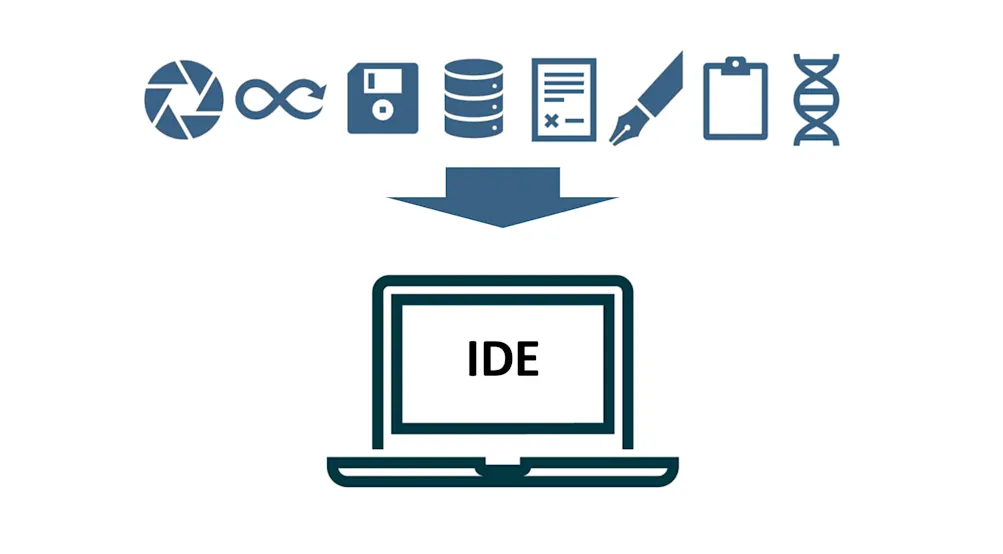 Workflow style is another key factor. Managed options are better for teams that want a ready-to-use setup. IDE-first tools fit developers who want immediate help inside the editor. Terminal-first tools are better for users who prefer direct control and command-line workflows.
Control, Privacy, and Day-2 Operational Overhead
It is also important to compare long-term operational effort. Privacy, environment management, and maintenance all affect whether a tool stays practical once it becomes part of everyday work.
Best Fit for Solo Developers vs. Teams
Solo developers often prioritize speed and convenience. Teams usually care more about reliability, approval flow, privacy, and how well a tool fits shared engineering processes.
How to Choose the Right Claw Code Alternative
The right Claw Code alternative depends on what kind of workflow you want to optimize. Some developers want the fastest path to editing and iteration, while others care more about control, privacy, or reducing infrastructure work. Instead of asking which tool is best in general, it is usually more useful to ask which one best matches your development style and team needs.
-
Choose a Managed Option if You Want Less Infrastructure Work: A managed option makes sense if you want to spend less time on setup, maintenance, updates, and operational overhead.
-
Choose an IDE-First Tool if Inline Editing Speed Matters Most: An IDE-first tool is usually the best fit if you want fast help directly inside the editor and a smoother coding flow.
-
Choose a Terminal-First Tool if You Want More Direct Control: A terminal-first tool works better if you prefer command-line workflows, explicit prompts, and tighter control over changes.
-
Choose an Open-Source Route if Customization is a Priority: An open-source option is a stronger fit if flexibility, customization, and lower vendor lock-in matter most.
FAQ about Claw Code Alternative
Q: What Is the Best Claw Code Alternative Right Now?
A: The best Claw Code alternative depends on your workflow. Some developers want a managed setup with less maintenance like MyClaw.ai, while others prefer IDE-first speed or terminal-first control. There is no single best option for everyone.
Q: Which Claw Code Alternative is Easiest to Start With?
A: Tools with a more guided or managed setup are usually easier to start with. They reduce the amount of configuration and operational work needed before you can use them regularly.
Q: Are There Claw Code Alternatives That Do Not Require Self-Hosting?
A: Yes. Some claw code alternatives are designed to reduce or remove the need for self-hosting, which can be useful for teams that want less setup and lower day-2 operational overhead.
Q: Which Claw Code Alternative Is Better for Code Review and Test Generation?
A: That depends on whether you value convenience, control, or workflow depth more. The better choice is usually the one that fits how often your team uses AI for ongoing engineering tasks.
Conclusion
Choosing between Claw Code alternatives is less about finding the tool with the longest feature list and more about finding the one that matches your workflow. Some developers will prefer a managed setup with less operational overhead, while others will want faster IDE-based editing or more terminal-level control. The best Claw Code alternative depends on how you work day to day, how much infrastructure effort you want to take on, and whether you are choosing for yourself or for a team. By comparing these tools through workflow, maintenance, and control, you can make a decision that is practical, sustainable, and easier to use over time.
Skip the setup. Get OpenClaw running now.
MyClaw gives you a fully managed OpenClaw (Clawdbot) instance — always online, zero DevOps. Plans from $19/mo.