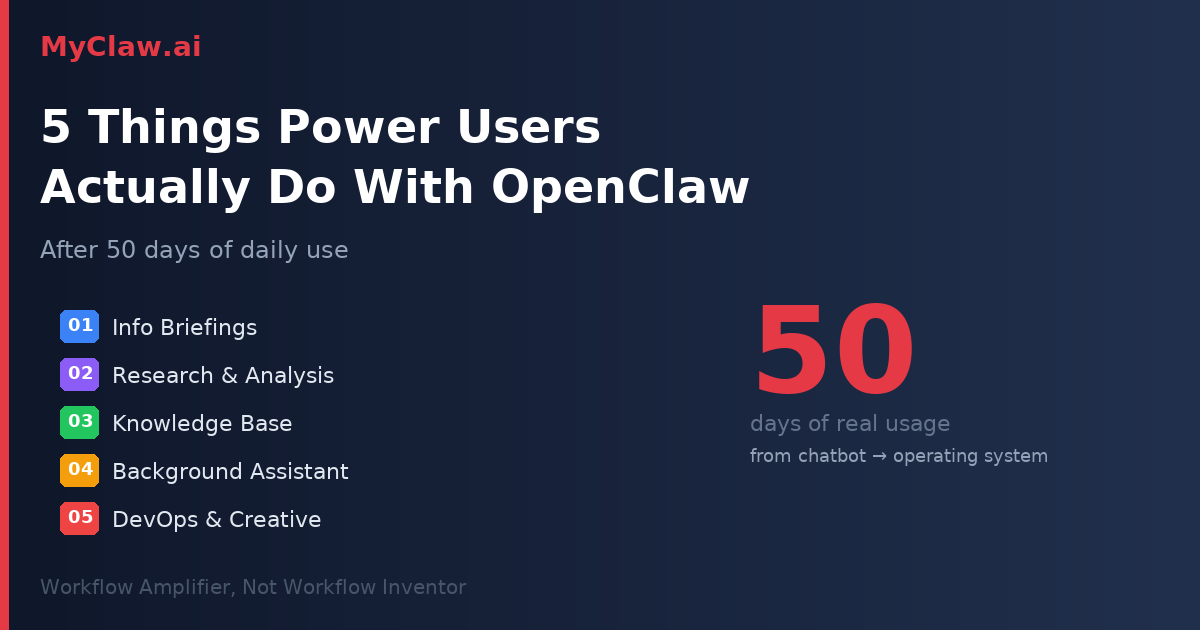
5 Things Power Users Actually Do With OpenClaw After 50 Days
Most OpenClaw content out there is still about installation guides and first-week experiments. But what happens after 50 days of heavy daily use?
YouTube creator @VelvetShark recently published a detailed retrospective after running OpenClaw continuously for nearly two months. The patterns that emerged paint a clear picture: OpenClaw isn't a chatbot anymore. It's becoming a personal operating system.
Here are the five core use cases that surface when someone actually commits to using it long-term.
1. Information Briefings & Intel Processing
This is where most people start — and where the value compounds fastest.
📰 Morning Briefings — OpenClaw scans X/Twitter every morning, pulls the most relevant content based on your interests, formats it into a structured briefing, and writes it into Obsidian with related ideas added to your backlog
📄 Instant Summaries — Drop an article, YouTube link, or PDF into chat. Get a usable summary in seconds
🔄 Continuous Filtering — Over time, OpenClaw starts pre-processing your entire information flow. You wake up to a curated version of the world, filtered by your projects and priorities
The surface-level value is "it summarizes stuff." The real value is that it takes over the role of pre-processing your information stream. You stop spending the first hour of your day catching up — because your agent already did it while you slept.
2. Research & Analysis
This is where OpenClaw starts looking like a real agent, not just a helper.
🔍 Multi-Agent Research — Need to investigate a topic? OpenClaw spins up parallel sub-agents: one searches X, another crawls Reddit, a third scans Hacker News, another analyzes YouTube competitors. Results merge into a single structured research report
📊 Natural Language Analytics — Connect YouTube Analytics and ask: "Which video category had better retention in the last two weeks?" OpenClaw doesn't just return numbers — it explains trends and highlights key metrics
What used to take hours of manual information gathering now produces a working first draft in minutes. This isn't "data lookup" — it's lightweight analysis work being handled automatically.
3. Knowledge Base & Second Brain
For heavy users, this becomes the layer they depend on most.
The key principle here isn't the AI model — it's Markdown-first.
🧠 Obsidian Pipeline — Drop a link into a Discord inbox channel → OpenClaw auto-summarizes, extracts key points, adds tags, and writes it directly into your Obsidian vault
🔎 Semantic Search — With nightly semantic indexing, you can ask "What decision did I make about X last month?" and get results based on meaning, not keyword matching
📁 Plain Text Everything — Store all information as plain Markdown files. Readable, portable, never locked into any single tool
The beauty of this approach: your knowledge base grows automatically as a byproduct of your daily work. You're not "organizing notes" — your agent is doing it in the background every time you interact with information.
4. Background Maintenance & Personal Assistant
None of these individually seem impressive. But after a few weeks, you can't live without them.
⏰ Heartbeat Monitoring — Every 30 minutes, OpenClaw scans your email, calendar, and service status. Anything urgent gets surfaced immediately
🔔 Life Alerts — Netflix payment failed. Domain expiring in 3 days. Meeting in 45 minutes. All caught and delivered without you checking anything
📧 Email Triage — Draft-only email processing, flagging what needs attention and what can wait
OpenClaw's real value often isn't in doing something spectacular. It's in continuously catching the small things that would otherwise slip through the cracks. The stuff you'd forget about until it becomes a problem.
5. DevOps, Execution & Creative Experiments
This is where technical users get hooked.
⚙️ System Operations — Auto-update skills, backup configurations, monitor server health, restart unhealthy services. All running on schedule without intervention
🍯 Creative Builds — Discovered bots scanning a WordPress login page? Have OpenClaw spin up a honeypot automatically. Generate architecture diagrams through Excalidraw MCP. Control smart home devices through Home Assistant integration
🏗️ Infrastructure Layer — OpenClaw is quietly moving from "office automation tool" toward "personal infrastructure control layer"
The boundary of what OpenClaw handles keeps expanding. Each new integration opens up use cases that nobody planned for in advance.
The Key Insight: Workflow Amplifier, Not Workflow Inventor
After seeing all five categories, one pattern becomes clear:
OpenClaw works best for people who already have workflow fragments in place. It amplifies what you're already doing — making it faster, more automated, more consistent.
If you already research topics, manage information, handle email, maintain systems — OpenClaw makes all of that 10x more efficient. But it doesn't invent workflows from scratch. You bring the structure; it brings the scale.
From Chat Tool to System Tool
The most interesting shift isn't any single use case. It's the behavioral change.
People who use OpenClaw for 50+ days stop thinking of it as "a chatbot I sometimes ask questions." They start designing their entire daily system around a persistent agent that's always running, always monitoring, always processing.
The question changes from "What can I ask AI?" to "What should my agent be handling right now?"
That mental shift — from occasional tool to permanent infrastructure — is what makes the 50-day mark so different from the 5-day mark. And it's why early adopters have such a compounding advantage.
Get Started
Building this system from scratch means configuring servers, managing API keys, setting up integrations, and debugging edge cases. Or you could skip straight to the good part.
MyClaw.ai gives you a fully managed OpenClaw instance — ready for all five use cases out of the box. No infrastructure, no maintenance, just your personal agent running 24/7.
Skip the setup. Get OpenClaw running now.
MyClaw gives you a fully managed OpenClaw (Clawdbot) instance — always online, zero DevOps. Plans from $19/mo.