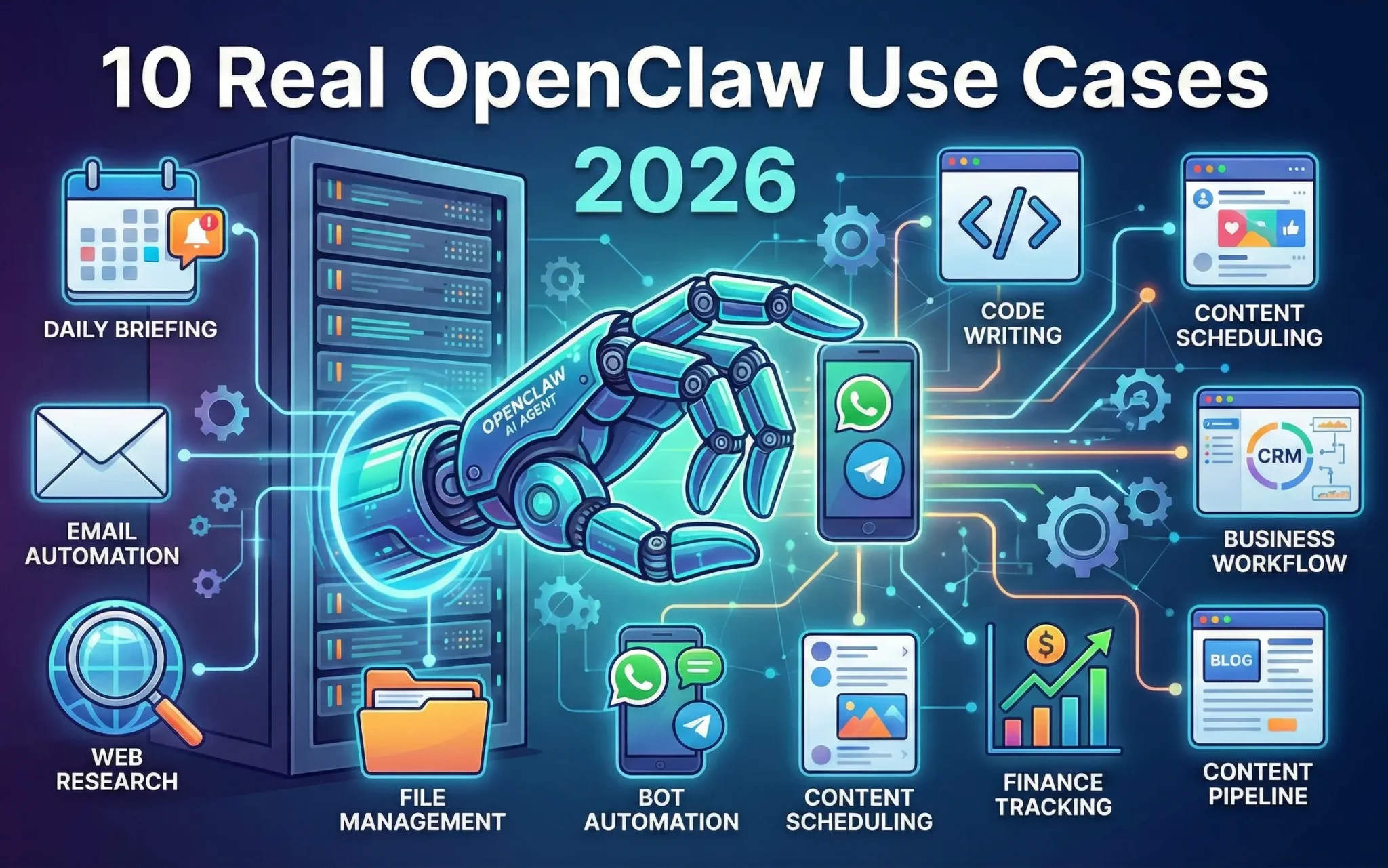
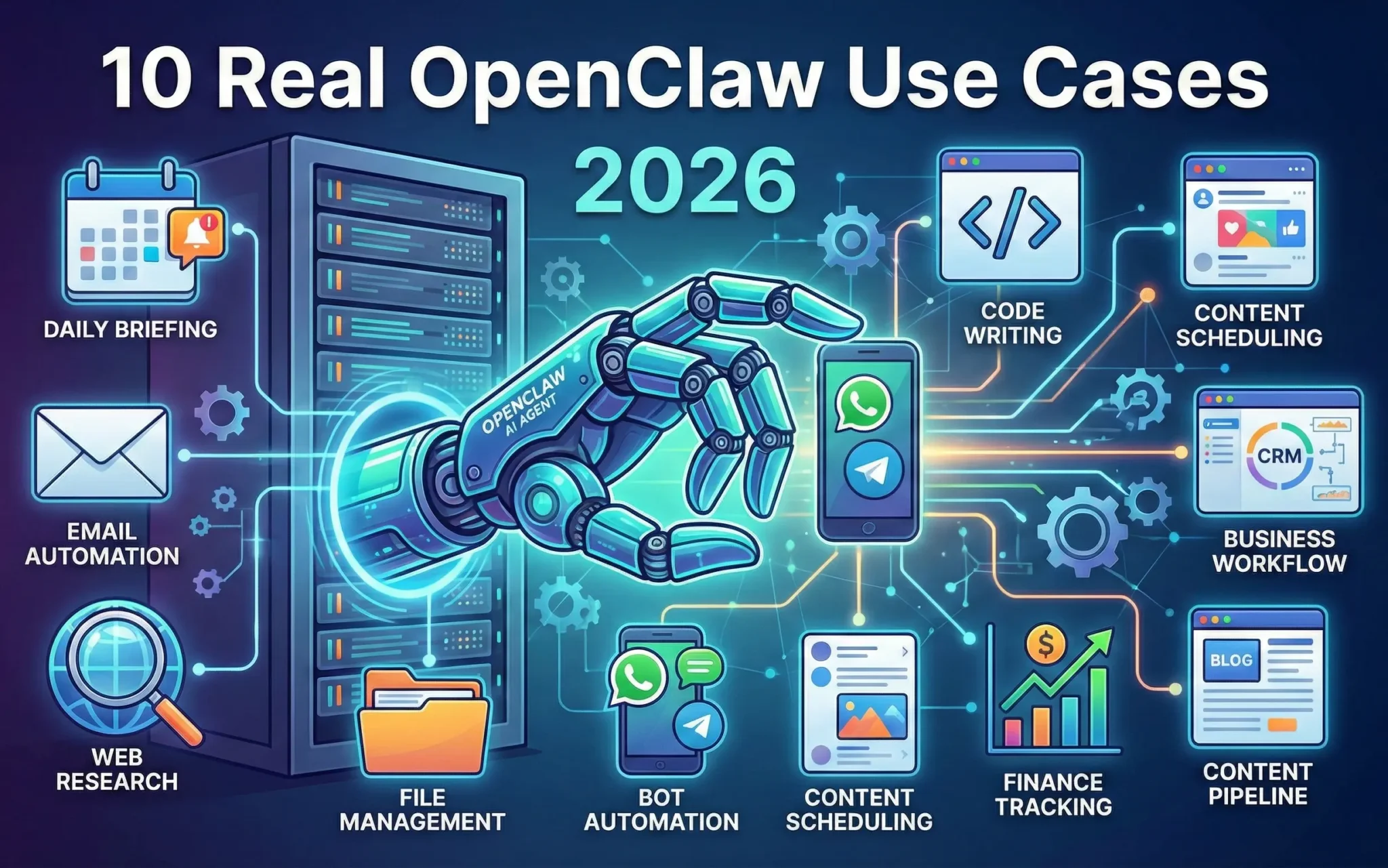
10 Real-World OpenClaw Use Cases Transforming Industries in 2026
You get real results when you use OpenClaw. Users report saving more than 10 hours each week by automating social media tasks. OpenClaw use cases industry-wide show that automatic meeting notes improve teamwork, and action item tracking makes collaboration easier. OpenClaw managed hosting delivers workflow automation across multiple industries, helping you clear inbox backlogs, organize your day, and boost productivity. Content automation adoption rates reach 35%, and satisfaction scores remain high in all categories.
OpenClaw use cases industry experts agree that you get more than just time savings. OpenClaw helps you spot trends, manage finances, and streamline support ticket handling. These changes are practical and measurable, making a real impact on your business. OpenClaw managed hosting empower you to leverage these tools, so you can see tangible improvements in your operations.
Key Takeaways
- OpenClaw helps users save more than 10 hours each week. It does this by doing jobs like managing emails and posting on social media for them. The platform makes teamwork better by making meeting notes and keeping track of tasks. This helps people work together more easily. OpenClaw gives daily news about the industry. Users can stay updated without looking at many websites. With smart calendar tools, OpenClaw makes schedules better and stops double-booking. This makes it easier to manage time. OpenClaw's automation tools help companies work faster and make fewer mistakes. This lets people spend more time on important work.
OpenClaw Workflow Automation for Email and Inbox
Streamlining Communication
Openclaw helps you handle your email and inbox better. Many companies have trouble with too many emails and missed deadlines. Sometimes, they lose important information. Openclaw keeps your inbox neat and puts important emails first. It can sort emails, remove unwanted newsletters, and write draft replies for you to check. Openclaw also makes long email threads shorter by giving you the main ideas. You do not need to read every message. You can get rid of unread emails fast and pay attention to what is important.
-
Openclaw sorts and sends emails where they need to go.
-
It writes replies and helps you find new customers.
-
You can make client reports and plan social media posts automatically.
-
Openclaw makes it easier to handle bills and track spending.
-
It keeps documents in order and writes down meeting notes.
How Workflow Automation Works
Openclaw uses automation to do boring tasks for you. You make rules for sorting, saving, or deleting emails. Openclaw puts emails into groups by how urgent they are and who sent them. It can save or delete emails that are not important. You can sort expenses from receipts and get reminders to check in for flights. Openclaw puts documents in the right place so you can find them easily. You can also have meeting notes written down and shared without doing it yourself. This works with openclaw managed hosting, so you get good speed and safety.
-
One company got rid of over 4,000 unread emails in just two days with openclaw.
-
You can grow your business because openclaw keeps things steady even when you have more work.
Transformation in Business Efficiency
Openclaw brings real benefits to your business. You save time because openclaw does jobs faster and the same way every time. You get more organized since openclaw takes care of your inbox and you do not have to check everything yourself. You get more done because openclaw keeps your work moving. You can spend time on harder tasks and let openclaw do the easy ones. Openclaw managed hosting gives you safe and strong workflow automation. You will notice real changes in your daily work and teamwork.
Personalized Briefings with OpenClaw Use Cases
Daily Industry Updates
Openclaw gives you updates about your industry every day. Each morning, you get a summary with news, events, tasks, and weather. You do not have to look at many websites. Openclaw puts all the information together in a simple way. You can read it fast and easily. You can change your briefing to match what you want. You pick what is important, and openclaw changes for you. This tool helps you know what is happening and get ready for your day.
-
The system sends you a summary every morning.
-
Short updates help you save time and stay focused.
-
You can change how your briefing looks to fit your needs.
Automation Process
Openclaw use cases show how automation helps with briefings. You tell openclaw what you like, and it does the rest. The system works like your own digital helper. It takes care of your calendar, sorts emails, and runs workflows. You always control your data and API keys. Openclaw works on your own computer, so you can trust it. This makes you get more done. The platform grows from a chatbot into your own operating system. You see cool openclaw use cases when you automate things like getting market data, writing content, handling CRM, and planning. You can do the work of a small team without working harder.
Impact on Professional Productivity
Openclaw changes how you work each day. You get a lot more done because openclaw sorts and manages your data. You can make your own CRM systems without trouble. The AI helps you finish tasks that used to take a long time. Now, you can get work done even when you are not awake. Openclaw use cases show that people get much more work finished. You can spend your time thinking and making choices instead of doing boring jobs. Openclaw gives you more time for what matters. You will see real changes in how much you get done.
 ## Smart Calendar Management in OpenClaw Use Cases Industry
Optimizing Schedules
Openclaw helps you manage your daily schedule. It connects to your calendar and tracks your appointments. You get reminders so you do not miss meetings. Openclaw suggests meeting times that work for everyone. You do not need to worry about time zones. If you have two meetings at once, openclaw tells you and helps fix it. You can sync your Google Calendar or Outlook schedule. This lets you see everything in one place. Openclaw uses intelligence to organize your day and keep you on track.
Integration with Workflow Automation
Openclaw works well with content automation and other tools. You can set up a quick morning brief with important information. Openclaw can summarize your emails so you know which ones matter. You do not need to spend hours checking your inbox. With integration, openclaw automates routine tasks like sending reminders or updating your schedule. This saves time and lets you focus on important work. You will notice your productivity goes up when you use openclaw with content automation and workflow tools.
Tip: Use openclaw’s intelligence to set up scheduled actions. You can automate tasks like sending follow-up emails or preparing meeting notes. This makes your day smoother and helps you get more done.
Transformation in Time Management
Openclaw changes how you use your time. You become more productive because openclaw handles small details. You can trust its intelligence to keep your schedule organized. It helps you avoid double-booking. Content automation helps you finish tasks faster and with less effort. You spend less time planning and more time doing. Openclaw’s integration with your calendar and other tools means you always know what comes next. You feel less stressed and more in control of your day. Openclaw gives you the intelligence and productivity boost you need to succeed.
OpenClaw as a Personal Knowledge Base
Information Storage and Retrieval
You can use openclaw to keep and find information fast. Openclaw saves everything you do and makes a list. This list is easy to look at and helps you see what happened before. You always know the time and details of each action. Openclaw puts your knowledge in files you can open and change. You do not need to be an expert to update your knowledge base. When you search, openclaw uses smart keywords and matching to help you. This makes it easier to get the right answer and make fewer mistakes. You spend less time searching for files and more time using what you find.
Workflow Automation Features
Openclaw gives you tools to do many jobs automatically. You can set it to pull out data, check facts, and make reports without doing each step. Openclaw lets you add new skills to your system without writing code. You can teach it to handle new information when you need to. Openclaw uses different agents that work together as a team. These agents share what they learn and tell you the results. You do not have to watch them all the time. Openclaw keeps working in the background and helps your team focus on important work.
Tip: Use openclaw to do simple knowledge jobs automatically. You will make fewer mistakes and get results faster.
Productivity Transformation
Openclaw changes how you use information at work. You get more done because openclaw does the boring jobs for you. Your team can spend time on big ideas and creative work. Openclaw helps you find answers faster and makes fewer mistakes. It keeps your knowledge base up to date. You will see your business get more productive when openclaw manages your information. Openclaw makes your daily work easier and helps you reach your goals quickly.
Content Research Automation with OpenClaw
Data Gathering and Analysis
Openclaw helps you collect data from many places. It connects with systems like Claude, Gsuite, Slack, Salesforce, Quickbooks, and Teamwork. You do not need to open different apps. Openclaw grabs live data and shows it simply. You can see numbers and trends without searching. It does jobs like financial analysis and pipeline review. Openclaw sends morning briefs with new data. You get updates that help you decide what to do. Openclaw keeps all your data in one spot. You can trust openclaw to analyze data fast and correctly.
-
Openclaw collects data from many platforms.
-
It shows data in a clear way.
-
You get daily updates and summaries.
Workflow Automation in Marketing
Openclaw helps you automate marketing jobs. You can set up workflows to gather data about your audience. Openclaw uses ai to see what people like and how they react. You make content faster because openclaw does research and drafts. Openclaw personalizes emails with ai, so more people open them. You track campaign results with real-time data. Openclaw makes data management simple for your team. You spend less time doing things by hand and more time planning new ideas. Openclaw lets you focus on creative work while it handles the data.
Transformation in Content Strategy
Openclaw changes how you plan your content. You use ai to find patterns in data. Openclaw shows which topics are best. You can change your plan using real data. Openclaw helps you reach your goals faster. You see which campaigns bring more sales. Openclaw tracks results and updates your strategy. You make smarter choices because openclaw gives you clear data. Your team works better together with openclaw helping your content plan.
Tip: Use openclaw to automate research and track your progress. You will get better results and save time.
Social Media Analytics in OpenClaw Use Cases Industry
YouTube, Instagram, TikTok Insights
Openclaw helps you check your social media every day. It gives you analytics for YouTube, Instagram, and TikTok. You can see how your videos do on YouTube. You look at video views, watch time, and engagement rate. For Instagram and TikTok, openclaw shows you how each post performs. You do not need to check each app by yourself. Openclaw puts all your analytics in one place. You get a clear view of your results. This helps you know what your audience likes best.
Note: Openclaw lets you compare your daily results easily. You can spot trends and see which posts get the most attention.
Workflow Automation for Marketers
Openclaw helps you automate your analytics workflow. You set rules to collect and organize your social media data. Openclaw gathers analytics from YouTube, Instagram, and TikTok for you. You can schedule reports to arrive each morning. Openclaw sorts your analytics and highlights important changes. You get alerts when your engagement rate goes up or down. This workflow saves you time and keeps you focused on your goals. You can use openclaw to build custom workflows that fit your marketing needs.
-
Openclaw lets you automate daily analytics tracking.
-
You can create workflows to monitor new followers or top-performing posts.
-
Openclaw helps you share analytics with your team quickly.
Transformation in Engagement
Openclaw changes how you connect with your audience. You use analytics to see what content people like most. Openclaw shows you which videos or posts get the highest engagement. You can adjust your strategy based on real data. This workflow helps you post at the best times and create content that gets more likes and comments. Openclaw makes it simple to track your progress and set new goals. You see better results because you use analytics to guide your actions. Openclaw gives you the tools to grow your social media presence and reach more people.
Email Campaign Management and Automation
Automated Responses and Insights
You can use openclaw to run email campaigns easily. The system sends replies to customers after they do something. For example, if someone clicks a link, openclaw can send a message right away. This keeps your audience interested in your emails. Openclaw also shows you how people react to your messages. You can see which emails work best and which ones need to change.
Note: Automated replies help you save time and reach more people. But your company is still in charge of what openclaw sends. Always check your messages before sending them to avoid mistakes.
Some people worry about how openclaw makes choices. The system uses AI, so it can be hard to explain why it sends certain emails. You might get questions from regulators if you cannot show how your campaigns work. Make sure you keep records of your emails and who approved them.
Workflow Automation for Campaigns
Openclaw helps you build smart workflows for your email campaigns. You can group contacts by how they react to your emails. This is called smart segmentation. Openclaw sends the right message to each person at the right time. You can also make nurture sequences. These programs keep your audience interested with helpful content. Openclaw learns from each campaign and makes the next one better.
-
Behavioral triggers send emails when users do certain things.
-
Smart segmentation puts contacts into groups for better targeting.
-
Nurture sequences help keep your audience interested.
-
Performance learning helps you improve your plan over time.
Transformation in Engagement Rates
Openclaw changes how you talk to your audience. You get more people to open and click your emails. This is because your messages match what people want. The system helps you send emails that feel personal. Over time, your campaigns get smarter and work better. You spend less time doing things by hand and more time planning new ideas. Openclaw gives you tools to grow your business and build stronger customer relationships.
Meeting and Task Management with OpenClaw
Automated Minutes and Task Tracking
Openclaw makes meetings easier for you and your team. It listens to what people say and turns ideas into tasks. Each task goes to the right person. Openclaw gives every task a confidence score. You do not have to write notes or remember details. Openclaw connects with Trello and Google Calendar. It sends tasks to these apps and sets reminders for deadlines. You can see how each task moves forward until it is finished. Openclaw links tasks to the exact time in the meeting. This helps you find important parts quickly.
Tip: Let openclaw take care of your meeting notes. You will spend less time writing and more time getting things done.
Workflow Automation for Teams
Openclaw helps your team work together better. It reads meeting conversations and finds tasks right away. The system gives each task to the correct person. It sends tasks to project boards and calendars. You get reminders when a deadline is close. Openclaw keeps track of every task until it is finished. Your team does not need to check many apps. Openclaw brings all tasks into one place. You can see what needs to be done and who is doing it. This makes teamwork faster and easier.
-
Openclaw turns meeting notes into action items.
-
It finds tasks in conversations and assigns them to people.
-
Syncs tasks to tools like Trello or Google Calendar.
-
Watches each task until it is finished.
Transformation in Accountability
Openclaw helps your team stay on track. You see fewer missed deadlines and late tasks. The system shows who owns each task and tracks progress. You can check the status of every item. Teams using openclaw report up to 25% fewer late tasks each week. People finish their work on time more often. Openclaw makes it easy to follow up and keep everyone focused. You build trust because everyone knows what they need to do.
Note: Openclaw helps your team stay organized and responsible. You see real improvements in how your team works together.
FinTech Security Transformation with OpenClaw
Fraud Detection and Audit Readiness
Openclaw helps you find fraud and get ready for audits. It looks at financial transactions and finds strange activity. Openclaw checks for patterns that match fraud cases. You get alerts if openclaw sees something suspicious. It keeps your records neat for audits. You can set approval steps for important actions. Human-in-the-loop approval means you confirm big changes. This stops people from getting in without permission and keeps your enterprise safe. Openclaw also helps you avoid mistakes by asking for confirmation on sensitive jobs.
-
Openclaw finds risky transactions.
-
You get reports ready for audits.
-
Approval settings keep your enterprise safe from unauthorized actions.
-
Openclaw protects sensitive data.
Workflow Automation in Financial Services
Openclaw does many jobs for your enterprise automatically. You can make rules for payments, checking balances, and reviewing accounts. Openclaw uses agents to run these jobs. Sometimes, agents can skip normal security steps. This can let people in without permission if you do not use approval steps. You need to set approval settings to stop prompt injection attacks and data leaks. Openclaw helps you manage credentials and keeps them safe. Do not run openclaw with root permissions. If openclaw is open to the internet without security, credentials can leak. Human oversight is needed to keep things safe.
Tip: Always check your openclaw workflow settings. Make sure your enterprise uses approval steps for important actions.
Industry Impact
Openclaw changes how your enterprise handles security. You see less fraud and get ready for audits faster. Enterprises report better protection for sensitive data. Openclaw helps you meet industry security standards. You can trust openclaw to keep your enterprise safe and ready for audits. Enterprises using openclaw see better workflow and higher revenue. You spend less time checking things by hand and more time growing your business. Openclaw gives your enterprise tools to stay ahead in financial services.
Vertical Skill Marketplaces in OpenClaw Use Cases Industry
Healthcare, Legal, and Finance Applications
Openclaw use cases industry brings big changes to healthcare, legal, and finance. Openclaw helps you handle customer support triage. You answer basic questions faster, so clients get help quickly. You use openclaw as a knowledge assistant for your team. Your team finds answers fast, which makes onboarding simple. Openclaw automates reports, so you get important data without extra work. You manage conversations from different platforms in one place. Openclaw connects with tools like Jira and HubSpot to automate tasks and follow-ups. You save time and make fewer mistakes.
-
Customer support triage helps you reply faster.
-
Knowledge assistant helps your team learn quickly.
-
Automated reporting gives you data without extra work.
-
Multi-platform management keeps conversations neat.
-
Workflow automation connects with business tools for easy task tracking.
Workflow Automation for Enterprises
Openclaw use cases industry gives you strong workflow automation. You see benefits in many areas. You automate content creation in marketing. You improve SEO workflows and grow email campaigns. In retail, you make product descriptions and check customer reviews. You predict inventory needs. Healthcare uses openclaw to watch HIPAA compliance and keep patient data safe. You process medical records with less effort. Education makes curriculum content and automates student assessments. Human resources create job descriptions and check resumes. You automate onboarding workflows. Customer support sorts tickets and builds knowledge bases. Finance automates compliance workflows, checks transactions, and finds fraud patterns.
Transformation in Industry Solutions
Openclaw use cases industry changes how you solve problems. You use business intelligence to make better choices. You see faster replies and more accurate results. Openclaw helps you automate tasks that used to take hours. You build stronger workflows and make fewer mistakes. Your team works together more easily. You use business intelligence to track progress and measure results. Openclaw gives you tools to grow your business and stay ahead. You see real improvements in productivity and customer satisfaction.
Security and Implementation in OpenClaw Managed Hosting
Data Privacy and Compliance
You must keep your data safe with openclaw managed hosting. Many businesses worry about privacy and following rules. Sharing space with other users can be risky. Sometimes, secrets in third-party places make your trust bigger. You need to watch for governance drift. This happens when people try new things without checking. If you set up openclaw wrong, it can cause security issues. Openclaw is not secure by default. Always check your setup and follow the rules. Write down your workflows so you remember your steps. Add recovery steps to your automations to fix problems fast.
Tip: Always check who can see your data. Make sure you follow audit rules.
Security Features of OpenClaw Managed Hosting
Openclaw managed hosting has strong security features. You must approve risky actions before they happen. This lets you control important jobs. You can keep API keys safe with environment variables or secret managers. This keeps sensitive information from leaking. Openclaw runs in a Docker container. This keeps it away from your main system. If someone tries to break in, damage is limited. You can limit browser permissions to make things safer. Logging and monitoring help you see agent activity and errors.
-
Human approval for risky actions keeps workflows safe.
-
Safe API key storage protects your credentials.
-
Docker isolation limits access to your main system.
Integration Best Practices
You need to use best practices when you add openclaw managed hosting to your business workflows. Use Docker to keep things separate and safer. Run openclaw behind a reverse proxy to block bad access. Give dedicated CPU and RAM to manage resources. Turn on logging and monitoring to track what agents do. Split your network for sensitive workflows. Keep API keys safe so only trusted people can use them. Set access controls so you know who can do each job. Plan team training and check how well things work. Make sure your automations can recover from failures and keep costs low.
Note: Always check if openclaw works with your tools and systems before you use it.
You notice big changes when you use OpenClaw with MyClaw.ai. Your team finishes tasks faster. They spend less time doing boring jobs. You can handle new problems quickly. OpenClaw managed hosting makes things easier. It connects tools and adds skills without needing lots of coding.
-
You can automate pipelines and fix security problems.
-
You bring new engineers on board and check code easily.
MyClaw.ai gives everyone strong AI tools that are easy to use. You work better, keep your data safe, and change how you do your work. Try OpenClaw to be a leader in your industry in 2026.
FAQ
What is OpenClaw managed hosting?
You use OpenClaw managed hosting to run your automation tools safely. The system handles updates, security, and backups for you. You do not need to worry about setup or maintenance.
How does OpenClaw keep my data safe?
OpenClaw uses approval steps and keeps your secrets secure. You control who can see your data. The system runs in a safe container, so your main computer stays protected.
Can I use OpenClaw with my current tools?
Yes, you can connect OpenClaw to many tools like Google Calendar, Slack, and Trello. You set up workflows that fit your needs. The system helps you work faster with your favorite apps.
What if I need help setting up OpenClaw?
You get support from the MyClaw.ai team. They guide you through setup and answer your questions. You also find tips and best practices in the platform’s help section.
Skip the setup. Get OpenClaw running now.
MyClaw gives you a fully managed OpenClaw (Clawdbot) instance — always online, zero DevOps. Plans from $19/mo.