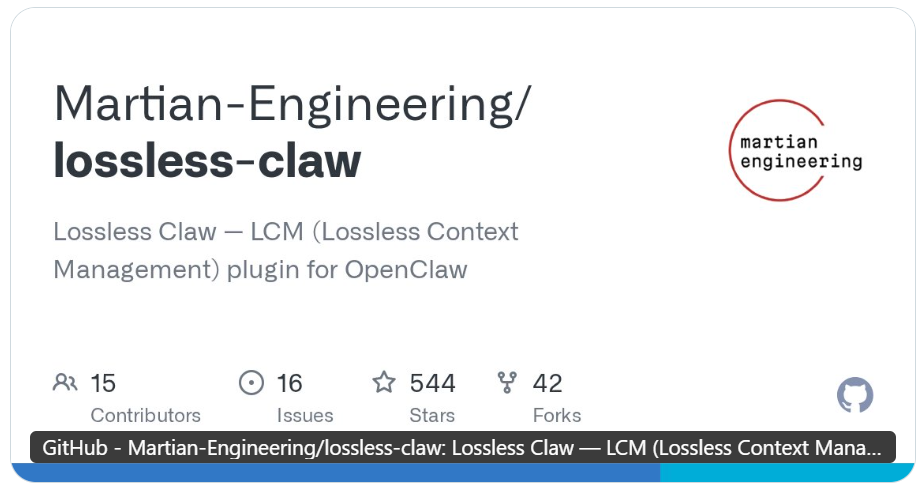
Il fondatore di OpenClaw dice «Provate questo plugin di memoria» — Virale in un istante
Gli agenti OpenClaw dimenticano le cose. Lo sanno tutti. Passi 30 minuti a configurare un workflow complesso, la finestra di contesto si riempie, si attiva la compattazione — e il tuo agente dimentica metà di ciò che avete discusso.
Peter Steinberger, il creatore di OpenClaw, ha appena pubblicato un post su una soluzione. La sua raccomandazione: Lossless Claw, un plugin della community che sostituisce la compattazione della memoria integrata in OpenClaw con qualcosa che funziona davvero. Il post ha raggiunto oltre 277K visualizzazioni e oltre 3.200 like in poche ore.
"Se sei infastidito dal fatto che il tuo crostaceo dimentica dopo la compattazione, prova Lossless Claw!" — Peter Steinberger
Ecco cosa fa, perché è importante e come configurarlo su MyClaw.ai in meno di un minuto.
Il Problema: La Memoria di OpenClaw Ha un Limite Rigido
Ogni modello AI ha una finestra di contesto — un limite sulla quantità di testo che può elaborare contemporaneamente. Claude Opus 4.6 arriva a 200K token. Sembra tanto, finché non ti rendi conto che:
📝 I prompt di sistema, i file di memoria e le istruzioni delle skill consumano 30-50K token prima ancora che tu dica ciao
💬 Una conversazione di 50 messaggi raggiunge facilmente 150K token
🔄 Quando la finestra si riempie, si attiva la compattazione integrata di OpenClaw — e cancella permanentemente i messaggi più vecchi
Questa è la compattazione a finestra scorrevole. È semplice, è veloce ed è con perdita di dati. Una volta che quei messaggi sono spariti, sono spariti per sempre. Il tuo agente letteralmente non può ricordare cosa avete discusso 20 minuti fa.
Il risultato? Ti ripeti. Il tuo agente commette gli stessi errori due volte. I workflow si interrompono perché il contesto è svanito durante l'esecuzione.
Cosa Fa Realmente Lossless Claw
Lossless Claw adotta un approccio fondamentalmente diverso. Invece di buttare via i vecchi messaggi:
🗄️ Persiste ogni messaggio in un database SQLite locale — niente viene mai cancellato
🌳 Costruisce un DAG (grafo aciclico diretto) di riepiloghi — i messaggi più vecchi vengono riassunti, poi i riepiloghi vengono riassunti in nodi di livello superiore
🔍 Fornisce agli agenti strumenti di recupero — lcm_grep per cercare nella cronologia, lcm_expand per approfondire qualsiasi riepilogo e recuperare i dettagli originali
🛡️ Protegge il contesto recente — gli ultimi 32 messaggi non vengono mai compressi, garantendo un flusso conversazionale fluido
Pensala così: la compattazione normale è un distruggidocumenti. Lossless Claw è un archivio con un motore di ricerca.
I Dettagli Tecnici Che Contano
Lossless Claw si basa sul paper LCM e implementa quello che gli autori chiamano "Lossless Context Management" (Gestione del Contesto Senza Perdita). Ecco come funzionano i parametri chiave:
🎯 Soglia di contesto: 75% — La compattazione si attiva quando il contesto raggiunge il 75% della finestra del modello, non il 95%. Questo lascia margine al modello per pensare effettivamente, invece di ansimare per i token all'ultimo secondo
📊 Riepilogo multi-livello — Messaggi grezzi → riepiloghi foglia → riepiloghi condensati → riepiloghi di livello superiore. Ogni livello comprime ulteriormente mantenendo i collegamenti al materiale sorgente
🔗 Struttura DAG — Ogni riepilogo sa da quali messaggi o sotto-riepiloghi proviene. Questo significa che un agente può chiedere "di cosa abbiamo discusso riguardo alla Ghost API?" e risalire la risposta attraverso il DAG fino alla conversazione esatta
⚡ Compattazione incrementale — Solo i nuovi messaggi vengono elaborati in ogni ciclo, non l'intera cronologia. Questo mantiene gestibile il sovraccarico per turno
Impatto nel Mondo Reale
Ecco cosa cambia quando installi Lossless Claw:
Prima (OpenClaw standard):
- L'agente dimentica i dettagli del workflow dopo conversazioni lunghe
- Ripeti le istruzioni ogni poche ore
- Le attività complesse multi-step si interrompono quando il contesto si compatta durante l'esecuzione
- Nessun modo di recuperare informazioni compattate
Dopo (Lossless Claw):
- L'agente può ricordare qualsiasi dettaglio da qualsiasi conversazione usando
lcm_grep - I progetti multi-giorno mantengono il contesto completo attraverso il DAG
- La compattazione avviene prima e in modo più fluido (75% vs quasi 100%)
- Tutti i messaggi grezzi persistono in SQLite — niente viene perso, mai
Un utente nel thread di Peter ha chiesto se questo compromette la cache del contesto. La risposta di Peter: "non è predefinito per una ragione, è un plugin della community per esplorare nuove idee!" Il compromesso è reale — ogni ciclo di compattazione costa token LLM per generare riepiloghi — ma per gli agenti che eseguono workflow complessi e con stato, il beneficio supera di gran lunga il costo.
Installalo su MyClaw.ai in 60 Secondi
Se stai eseguendo OpenClaw su MyClaw.ai, installare Lossless Claw richiede un solo comando attraverso la chat del tuo agente:
openclaw plugins install @martian-engineering/lossless-claw
Il tuo gateway si riavvia automaticamente e stai funzionando con una memoria basata su DAG che non dimentica mai. Niente SSH, niente file di configurazione, niente Docker — dì semplicemente al tuo agente di installarlo.
Il plugin funziona perfettamente insieme ai sistemi di memoria esistenti — i tuoi file MEMORY.md, i log giornalieri e le configurazioni delle skill continuano tutti a funzionare. Lossless Claw non sostituisce la memoria manuale; la integra con il recupero automatico.
La combinazione è potente:
🧠 MEMORY.md = cosa il tuo agente dovrebbe sapere all'avvio (decisioni, preferenze, contatti)
🗄️ Lossless Claw = cosa il tuo agente può ricordare su richiesta (dettagli della conversazione, istruzioni esatte, passaggi di debug)
Insieme, il tuo agente ottiene sia un contesto di avvio veloce che un recupero profondo — il meglio di entrambi i mondi.
Dovresti Installarlo?
Se il tuo agente OpenClaw esegue conversazioni semplici e brevi — probabilmente non ne vale la pena. La compattazione standard va bene per compiti rapidi.
Ma se tu:
✅ Esegui progetti multi-giorno dove il contesto conta
✅ Usi il tuo agente come assistente persistente (non come strumento usa e getta)
✅ Sei stanco di ripeterti dopo la compattazione
✅ Hai bisogno che il tuo agente ricordi cosa ha costruito, distribuito o configurato
Allora Lossless Claw è esattamente ciò di cui hai bisogno. Peter Steinberger non lo raccomanderebbe ai suoi oltre 280K follower se non valesse la pena provarlo.
MyClaw.ai — l'host #1 per OpenClaw, il modo migliore per eseguire OpenClaw. La memoria del tuo agente ha appena ricevuto un aggiornamento.
Salta la configurazione. Avvia OpenClaw ora.
MyClaw ti offre un'istanza OpenClaw (Clawdbot) completamente gestita — sempre online, zero DevOps. Piani da $19/mese.